Cartoon Rain AI Video Editing 2026 (Free Prompt + Full Tutorial)
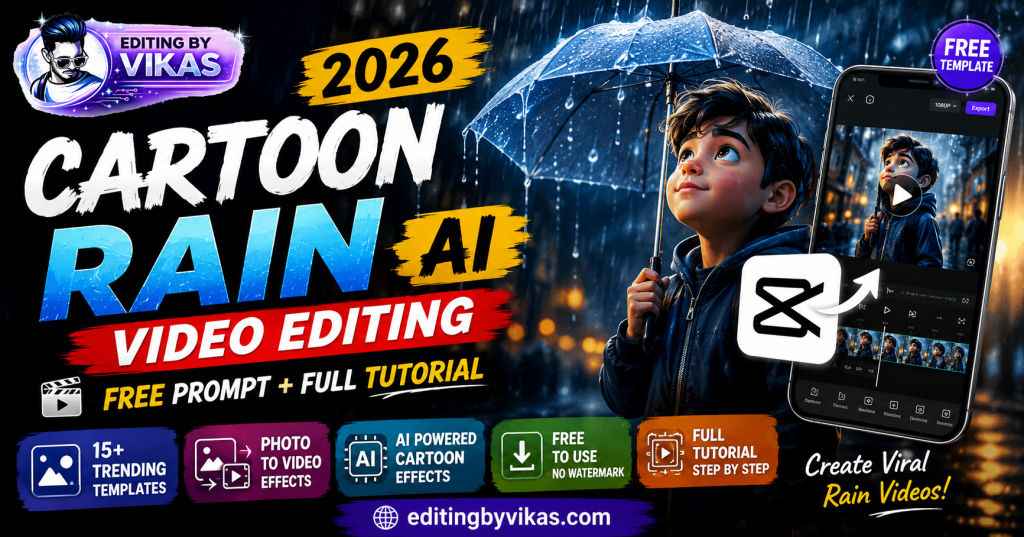
Cartoon rain AI video editing is one of the most viral formats on Instagram and YouTube right now. It takes a normal photo or clip and turns it into a soft, animated scene with cartoon-style rain falling gently across the frame. The result looks like it came straight out of an animation studio, but the truth is you can make it on your phone in a few minutes. You do not need After Effects, you do not need a paid app, and you do not need any editing skill. A single AI prompt plus one free video app does the whole thing.
In this guide you will learn exactly what the effect is, why it works so well, what you need to make it, and the full step-by-step method. By the end you will be able to turn any photo into a calm, cinematic cartoon rain reel that stops people from scrolling.
What is the cartoon rain effect?
The cartoon rain effect takes a real photo or video and restyles it into an animated, storybook look, then adds gentle rain drifting across the frame. It combines two things that both grab attention on their own.
The first is rain. Rain carries mood instantly. A rainy scene feels calm, a little emotional, and cinematic without any extra work. People slow down when they see it. The second is the cartoon style. Turning a real face into a soft anime or storybook illustration makes the image feel special and hand-made, not like an ordinary photo everyone posts.
Put those two together and a plain selfie becomes something that looks crafted. That is the entire appeal of the format. It is simple to make, but the final video looks like real effort and skill went into it.
Why this effect goes viral
Understanding why the effect works helps you make better versions of it. Short video platforms reward one thing above all else: watch time. The longer people stay on your video, the more the algorithm shows it to new viewers.
Calm, aesthetic content holds attention longer than fast, noisy edits. The rain slows the viewer down. The soft cartoon style gives them something they do not see in every second post on their feed. Together they keep eyes on the screen for those crucial first few seconds, which tells the algorithm your video is worth pushing. That is why simple cartoon rain reels often outperform edits that took far longer to make.
There is also an emotional pull. A rainy cartoon scene feels nostalgic and gentle, and content that makes people feel something gets saved and shared more often. Saves and shares are strong signals to the algorithm, stronger than a quick like.
Base Cartoon Prompt
Convert this photo into a soft anime cartoon illustration style, warm cinematic colours, gentle mood, detailed background, keep the face and pose recognisable, high detail, 9:16 ratio.
Soft and Aesthetic
Convert this photo into a soft dreamy anime cartoon. Add gentle falling rain, warm cinematic colours, a cosy blurred background, soft glowing light. Keep the face and pose recognisable. 9:16 ratio, high detail.
Turn this into a cosy anime cartoon of a person sitting by a window with rain drops on the glass. Warm indoor light, cool rain outside, soft nostalgic mood. Keep the face and pose recognisable. 9:16 ratio, high detail.
Restyle this photo as a soft pastel anime illustration on a rainy day. Light rain, gentle pastel colours, fluffy clouds, calm peaceful mood, detailed background. Keep the face and pose recognisable. 9:16 ratio, high detail.
Convert this into an anime cartoon of the person walking with an umbrella in gentle rain. Wet reflective street, soft street lights, calm evening mood, cinematic colours. Keep the face and pose recognisable. 9:16 ratio, high detail.
Cinematic and Moody
Restyle this photo as a cinematic anime scene at night in the rain. Neon city lights reflecting on wet streets, moody blue tones, dramatic atmosphere. Keep the face and pose recognisable. 9:16 ratio, high detail.
Turn this into a moody anime illustration of a person standing alone in heavy rain. Dramatic lighting, deep shadows, emotional lonely mood, cinematic colour grade. Keep the face and pose recognisable. 9:16 ratio, high detail.
Convert this into an emotional anime cartoon in the rain, cool desaturated tones, soft sad expression kept natural, blurred city background, cinematic mood. Keep the face and pose recognisable. 9:16 ratio, high detail.
Restyle this as an anime scene on a rooftop in light rain at dusk, wide city skyline, warm and cool colour mix, cinematic wide shot. Keep the face and pose recognisable. 9:16 ratio, high detail.
Ghibli and Storybook
Turn this photo into a soft hand-painted storybook illustration in the rain. Warm nostalgic colours, lush detailed nature background, gentle magical mood, painterly style. Keep the face and pose recognisable. 9:16 ratio, high detail.
Restyle this as a storybook anime scene in a green countryside during light rain. Rolling hills, soft mist, warm painterly colours, peaceful mood. Keep the face and pose recognisable. 9:16 ratio, high detail.
Convert this into a nostalgic anime scene waiting at a bus stop in the rain, soft warm street lamp glow, wet pavement reflections, quiet calm mood. Keep the face and pose recognisable. 9:16 ratio, high detail.
Turn this into a soft anime scene under cherry blossom trees in light rain. Falling pink petals mixed with rain, warm romantic colours, dreamy mood. Keep the face and pose recognisable. 9:16 ratio, high detail.
Couple and Group
Convert this couple photo into a romantic anime scene sharing one umbrella in the rain. Warm street lights, wet reflections, soft loving mood, cinematic colours. Keep both faces and poses recognisable. 9:16 ratio, high detail.
Turn this group photo into a cheerful anime scene of friends enjoying the rain together, playful mood, bright warm colours, wet street, fun energy. Keep all faces and poses recognisable. 9:16 ratio, high detail.
Restyle this family photo as a warm anime scene in gentle rain, cosy togetherness mood, soft golden light, detailed background. Keep all faces and poses recognisable. 9:16 ratio, high detail.
Bike, Attitude and Action
Convert this into a cinematic anime scene riding a bike through rain on a highway, motion blur, dramatic wet road, cool tones, powerful mood. Keep the face and pose recognisable. 9:16 ratio, high detail.
Turn this into a bold attitude anime poster in heavy rain, dramatic backlight, confident stance kept natural, dark moody city, sharp detail. Keep the face and pose recognisable. 9:16 ratio, high detail.
Restyle this as an epic anime warrior scene standing in a storm with heavy rain, dramatic lightning, intense cinematic mood, powerful atmosphere. Keep the face and pose recognisable. 9:16 ratio, high detail.
Festival and Seasonal
Convert this into a cosy anime scene holding a cup of chai during monsoon rain, warm indoor glow, steam rising, rain on the window, comforting mood. Keep the face and pose recognisable. 9:16 ratio, high detail.
Turn this into a festive anime scene in light rain with glowing string lights and colourful lanterns, warm celebration mood, wet reflective ground, cinematic colours. Keep the face and pose recognisable. 9:16 ratio, high detail.
Restyle this as an anime scene on a beach during warm summer rain, soft waves, cloudy sky, gentle mood, cinematic colours. Keep the face and pose recognisable. 9:16 ratio, high detail.
What you need before you start
Everything in this guide is completely free. You need just three things, and you probably already have all of them on your phone.
The first is an AI image tool. ChatGPT or Google Gemini both work well. Both give you free daily credits, which is more than enough for this. Gemini tends to keep your real face more accurate, while ChatGPT follows detailed instructions slightly better, so try both and see which you prefer.
The second is a video editor app. CapCut or VN Video Editor are the two best free options. Both run on Android and iPhone, both are free, and both can export without a watermark.
The third is a rain overlay clip. This is a short free video of falling rain on a plain black background that you place on top of your cartoon image. Search “free rain overlay” and save one to your phone. You only need one, and you can reuse it for every video you make after this.
How to make a cartoon rain AI video
Follow these four steps in order. Start to finish, the whole process takes about ten minutes, even on your very first try.
Step 1: Turn your photo into cartoon style
Open ChatGPT or Google Gemini and upload the photo you want to use. Paste one of the cartoon rain prompts, which you will find in the prompt box section of this post. Run it, and the tool will give you back a cartoon version of your image in a few seconds.
Pick a clear, well-lit photo to start with. This one choice matters more than anything else. AI cannot cartoon a photo it cannot see clearly, so a sharp source photo gives a sharp, clean result, while a blurry one gives a messy one. If the first output is not perfect, run the same prompt two or three times, because each attempt comes back a little different, and pick the best one.
Step 2: Add the rain animation
Bring your cartoon image into CapCut or VN Video Editor. Place your rain overlay clip on a layer directly above the cartoon image. Now set the blend mode of the rain clip to Screen. This is the key step: Screen blend mode drops the black background of the overlay and keeps only the bright rain streaks, so the rain sits naturally over your scene.
Lower the opacity of the rain layer to about sixty percent. This is important. If the rain is at full strength it covers the whole frame and looks fake, like a cheap filter. At around sixty percent it feels like real weather sitting gently over the image. Finally, add a soft rain sound underneath for the finishing touch, since sound sells the effect as much as the visuals do.
Step 3: Add motion
A still image feels dead on video, even a beautiful one. The fix is simple. Add a slow zoom-in keyframe that runs across the whole length of the clip, so the picture drifts gently toward the viewer from start to finish. You can also use a slow pan from side to side instead. This tiny bit of movement is what makes a static cartoon feel alive and cinematic. It is the difference between a photo with rain on it and a real moving scene.
Step 4: Export in HD
Set your export to the highest quality your phone allows, usually 1080p or higher, and save the video. Before you post it anywhere, make sure any app watermark is removed so your video looks clean and professional. Now it is ready for Reels, WhatsApp status, or wherever you want to share it.
Best songs for this effect
Music makes or breaks a cartoon rain video, so choose it with care. The rain and the cartoon style are both calm and soft, which means your music needs to match that mood. Lofi and soft acoustic tracks work best of all. A slow piano piece or a mellow guitar sits perfectly under the visuals and deepens the feeling.
A loud, fast, high-energy track does the opposite. It fights the calm mood and ruins the whole effect, no matter how good your edit is. The sound and the visuals have to agree with each other.
For the best reach, pick a lofi or soft track that is currently trending on Reels while it is still climbing in popularity. Fresh trending audio gets pushed harder by the algorithm, so the exact same edit will reach more people simply because you chose a rising sound instead of an old one.
Which style should you pick?
Because there are so many cartoon rain variations, it helps to match the style to what you are posting. For a normal aesthetic feed post, soft and dreamy styles work best. For an emotional or sad reel, a moody cinematic night-rain style hits hardest. For a couple or anniversary post, a romantic shared-umbrella scene is perfect. For an attitude or motivation reel, a bold action style in heavy rain fits the energy. And for festival or seasonal content, warm scenes with lights and lanterns match the occasion.
Matching the style to the message is a small choice that makes your content feel intentional rather than random, and it keeps your feed varied so it never feels repetitive.
Common mistakes to avoid
A few small errors are the difference between a clean, professional cartoon rain video and a messy one. Avoid these four and your quality jumps immediately.
The first is using a blurry photo. AI cannot cartoon what it cannot see clearly, so always start with a sharp, well-lit image. The second is making the rain overlay too strong. If it covers the entire frame it looks fake, so keep the opacity around sixty percent so it reads as weather, not a filter. The third is leaving the image completely still. A motionless cartoon feels dead, so always add a slow zoom or pan to bring it to life. The fourth is choosing the wrong music. A loud track kills the calm mood, so always match the sound to the softness of the visuals.
How to make your reel stand out
Once you have the basics down, a few extra touches lift your videos above the crowd. Try adding a short, simple caption in the first second, since a line of text gives viewers a reason to stay. Keep your colour grade consistent across your posts so your page develops a recognisable look. And end the video on your strongest frame, because people remember how a reel finishes, and a beautiful final image is what makes them tap follow or share.
Posting consistently matters too. One good cartoon rain reel every day or two will grow your page far faster than ten videos posted at once and then weeks of silence. Steady, regular posting is what the algorithm and your audience both reward.
Frequently asked questions
Is cartoon rain AI video editing free?
Yes, completely. ChatGPT or Gemini for the cartoon image, and CapCut or VN for the video, are all free, with no paid app required.
Which app is best for the rain overlay?
Both CapCut and VN work well. Add the rain clip on a layer above your image, set the blend mode to Screen, and lower the opacity to about sixty percent.
Will the AI change my face?
Not if you keep the line about keeping the face and pose recognisable in your prompt. Run it a few times and pick the best result.
Can I make this on just a phone?
Yes. Every single step works on Android and iPhone. You never need a laptop or After Effects.
Related guides
For more moving edits, see Instagram trending AI video editing. For a rainy still photo instead of a video, use the rainy season AI photo editing prompt. To learn editing properly from scratch, read video editing kaise sikhe.
The cartoon rain effect is one of the easiest ways to make something that looks far more difficult than it actually is. Save this page, copy a prompt, and you will have a soft, cinematic reel ready in minutes. Try a different style each week and your feed will always feel fresh.