Happy Birthday VN Code 2026: Free Birthday VN Template (No Watermark)
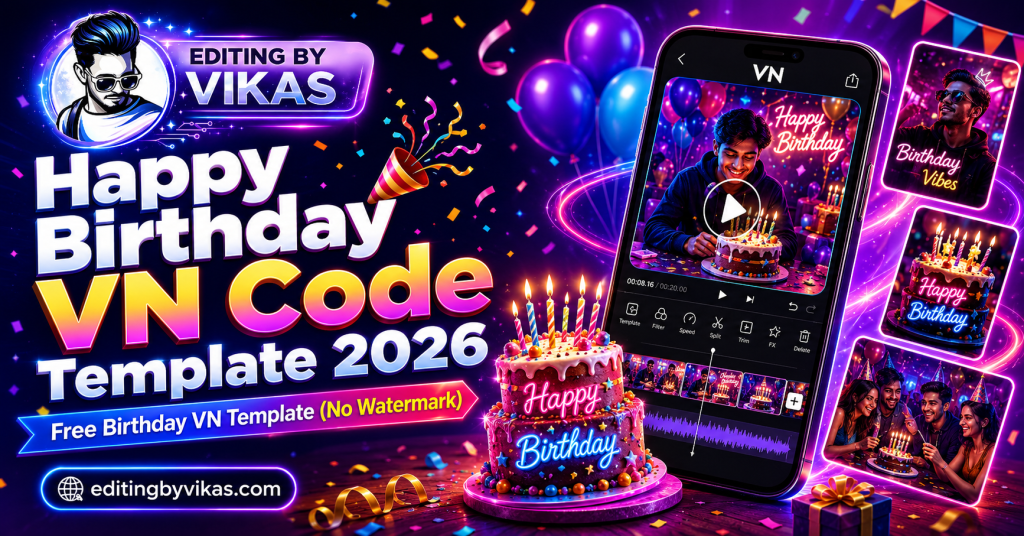
A happy birthday VN code is the fastest way to make a birthday video without learning any editing. You import one code into VN Video Editor, drop in your photos, type the name, and export a clean video with no watermark. This is the most requested VN birthday template on the site, so here is the full guide, the code, and ready-to-use AI prompts to make the whole thing pop.
Birthday videos are the one edit almost everyone needs at some point. A friend, a partner, a parent, a cousin, the group chat at midnight. And nobody wants to sit and learn a timeline just to say happy birthday. That is exactly the gap a birthday VN code fills. The template does the editing. You just bring the photos and the name.
In this guide you will get a plain explanation of what a VN code is, the step-by-step method to use it, a set of attractive AI prompts to design birthday posters that match your video, and fixes for the problems people hit most. Everything here is free, and everything has been tested on a real phone.
What is a birthday VN code?
A birthday VN code is a ready-made project preset for the VN Video Editor app. All the hard work is already built into it: the transitions between photos, the text animation, the beat timing that matches the music, and the colour grading that gives it a finished look. You do not build any of that. You import the code, swap in your own photos, change the name, and the video is ready to export.
Think of it like a template document. The layout and styling are done. You only fill in your content. The difference is that a VN code carries motion, music sync, and effects, not just a static layout.
The best part is the export. VN saves your video without a watermark, so the birthday clip you send looks clean and professional. It does not look like a free app made it, which is the usual giveaway with other tools. If you have used the VN cinematic code before, this works the same way, just tuned for birthdays.
Quick note: VN Video Editor is free on both Android and iPhone, and every feature you need for this, keyframes, text, music sync and HD export, is included at no cost.
20 Free AI Photo Editing Prompts (Copy & Paste)
Tap any purple box to copy the prompt. Then open ChatGPT or Google Gemini, upload your photo, paste the prompt, and download your edited image. Every prompt keeps your real face.
1. Cinematic Portrait
A clean, movie-style headshot.
Edit this photo into a cinematic portrait. Add soft dramatic lighting, a slightly blurred background, rich film-like colours, and sharp detail on the face. Keep my face 100% match. Premium magazine look, 4:5 ratio, high detail.
2. Golden Hour Glow
Warm sunset light on any photo.
Add warm golden hour sunlight to this photo. Soft glowing backlight, gentle lens flare, warm skin tones, and a dreamy sunset mood. Keep my face 100% match and natural. 4:5 ratio, high detail.
3. Studio Background
Clean professional studio look.
Place this subject on a clean studio background with soft even lighting. Use a smooth grey gradient backdrop, professional catalogue style, sharp focus. Keep my face 100% match. 4:5 ratio, high detail.
4. Black Background Drama
Bold, moody dark portrait.
Edit this into a dramatic black background portrait. Deep black backdrop, a single soft spotlight on the face, high contrast, moody premium look. Keep my face 100% match and sharp. 4:5 ratio, high detail.
5. Anime Style
Turn a selfie into anime art.
Convert this photo into modern anime art style. Clean line art, vivid colours, detailed background, expressive eyes, keep my pose and features recognisable. High quality anime illustration, 4:5 ratio, high detail.
6. Ghibli Soft Art
Gentle storybook style.
Turn this photo into a soft hand-painted storybook illustration. Warm pastel colours, gentle light, dreamy detailed background, cosy mood. Keep my features recognisable. 4:5 ratio, high detail.
7. 4K HD Upgrade
Make a blurry photo sharp.
Enhance this photo to 4K high quality. Increase sharpness and detail, fix soft focus, clean up noise, improve lighting and colours, keep it natural and realistic. Keep my face 100% match. High detail.
8. Saree Elegance
Traditional cinematic saree look.
Edit this into an elegant cinematic saree portrait. Add a graceful draped saree, soft warm lighting, a rich blurred background, and a premium festive mood. Keep my face 100% match and natural. 4:5 ratio, high detail.
9. Bridal Dulhan
Royal wedding look, no photoshoot.
Transform this into a royal bridal portrait. Add a red and gold lehenga, detailed jewellery, mehndi, soft warm lighting, and an elegant palace background. Keep my face 100% match and natural. 4:5 ratio, high detail.
10. Boys Attitude
Bold confident poster look.
Edit this into a bold attitude poster. Add moody cinematic lighting, cool tones, a slightly gritty city background, sharp confident style. Keep my face 100% match and sharp. 9:16 ratio, high detail.
11. Bike Rider
Cinematic highway rider shot.
Edit this into a cinematic bike rider poster. Add a highway or night city background, dramatic lighting, light smoke, and a powerful action mood. Keep my face 100% match. 9:16 ratio, high detail.
12. Gym Physique
Fitness motivation look.
Edit this into a gym motivation poster. Add dramatic gym lighting, deep shadows, a bold intense mood, and sharp detail. Keep my face 100% match and body natural. 9:16 ratio, high detail.
13. Old Money Aesthetic
Classy, expensive, timeless.
Edit this into an old money aesthetic portrait. Add classy neutral tones, elegant clothing, a luxury villa or yacht background, soft natural light, refined timeless style. Keep my face 100% match. 4:5 ratio, high detail.
14. Rainy Monsoon Mood
Add realistic rain and cool tones.
Edit this into a monsoon scene. Add realistic light rain, a wet reflective street, cool blue and grey tones, soft overcast light, and gentle fog. Keep my face 100% match. Cinematic 4:5 ratio, high detail.
15. Snowfall Winter
Cosy aesthetic snow look.
Edit this into a winter snowfall scene. Add gentle falling snow, soft cool light, a cosy mood, and a blurred snowy background. Warm clothing feel. Keep my face 100% match. Cinematic 4:5 ratio, high detail.
16. Polaroid Vintage
Retro film photo style.
Turn this into a vintage polaroid photo. Add a white polaroid frame, warm retro film tones, soft grain, and a nostalgic 90s mood. Keep my face 100% match and natural. 4:5 ratio, high detail.
17. 3D Cartoon Character
Pixar-style 3D avatar.
Convert this photo into a cute 3D cartoon character in Pixar animation style. Big expressive eyes, smooth 3D render, soft lighting, colourful background. Keep my features recognisable. 4:5 ratio, high detail.
18. Luxury Car Pose
Rich lifestyle poster.
Edit this into a luxury lifestyle poster with a premium sports car. Add an expensive city or villa background, golden evening light, and a rich confident mood. Keep my face 100% match. 9:16 ratio, high detail.
19. Festival Diwali Glow
Warm festive diya portrait.
Edit this into a warm Diwali portrait. Add glowing diyas, soft fairy lights, warm golden tones, festive traditional clothing, and a cosy celebration mood. Keep my face 100% match. 4:5 ratio, high detail.
20. Passport / Formal Photo
Clean official ID-style photo.
Edit this into a formal passport-style photo. Plain white background, even neutral lighting, formal clothing, front-facing, clean and sharp. Keep my face 100% match and natural. High detail.
How to use the happy birthday VN code
Follow these steps in order. Start to finish, the whole thing takes under ten minutes even if it is your first time.
1
Install VN Video Editor
Download VN from the Play Store or the App Store. It is free. Open it once so it finishes its first-time setup before you import anything.
2
Copy the birthday VN code
Tap the purple box below and the full birthday template code copies to your clipboard automatically.
Happy Birthday VN Code (Cinematic) Copy code
PASTE YOUR WORKING VN BIRTHDAY CODE HERE
(export it from VN: open your finished birthday project, tap Share, choose "Export as template / code", and paste the string in place of this text)
3
Import and add your photos
Open VN, tap the template or code import option, and paste the code. The project loads with every effect already in place. Now add your own photos into the slots. Use the same number of photos the template asks for. Adding more or fewer is the number one reason a template breaks its layout, so match the count exactly.
4
Change the name and export
Tap the text layer and type the birthday person’s name and the date. Preview it once to check the timing. Then export in HD. Done, and no watermark.
Make a matching birthday poster with AI
A video hits harder when the thumbnail or poster matches it. You can generate a birthday poster in seconds using ChatGPT or Google Gemini. Just upload a photo, paste one of the prompts below, and download the result. Each box is click-to-copy, so tap it and paste it straight into the AI tool.
Golden birthday poster prompt
Warm, celebratory, and works for almost anyone. Great for a partner or a close friend.
Golden Birthday Poster Copy prompt
Turn this photo into a luxury birthday poster. Add warm golden bokeh lights in the background, soft cinematic glow, elegant confetti falling, and a subtle "Happy Birthday" text in gold foil style at the top. Keep the face 100% match and sharp. Rich warm tones, premium look, 4:5 ratio, high detail.
Neon party poster prompt
Bright, fun, and full of energy. Perfect for a younger friend or a party post.
Neon Party Poster Copy prompt
Edit this photo into a vibrant neon birthday party poster. Add glowing pink and blue neon lights, colourful balloons, sparkles, and a bold neon "Happy Birthday" sign behind the subject. Keep the face 100% match. Fun, energetic, club-party mood, vivid colours, 4:5 ratio, high detail.
Cute balloon poster prompt
Soft and playful. Best for a child, a sibling, or a cheerful post.
Cute Balloon Poster Copy prompt
Create a cute pastel birthday poster from this photo. Add soft floating balloons in pink, mint and cream, gentle confetti, a small cake with candles, and a hand-drawn "Happy Birthday" text. Keep the face 100% match and natural. Soft dreamy lighting, adorable mood, 4:5 ratio, high detail.
Pro tip: Always add the line keep the face 100% match at the end of any prompt. It stops the AI from quietly changing the face. If the first result is not perfect, run it two or three times, because each attempt comes back a little different.
Which birthday template should you pick?
The right template depends entirely on who the video is for. Matching the style to the person is what turns a nice edit into a memorable one. Here is a simple guide.
| Who it is for | Best style | Why it works |
|---|---|---|
| Partner or close friend | Cinematic, slow motion, soft grade | Feels personal and emotional |
| Child or sibling | Bright, balloons, confetti | Playful and full of energy |
| Parent or grandparent | Photo slideshow, old to new | Tells a story, not just effects |
| Group or friend circle | Fast beat-sync montage | Fun, high energy, shareable |
For a parent, the slideshow point is worth repeating. A simple sequence that runs from old childhood photos to recent ones lands harder than any flashy effect, because the edit is doing something an effect cannot. It is telling a story. Effects impress for a second. A story stays.
Add the right music
Music carries half the emotion of a birthday video, so choose it with care. For a cinematic edit, a soft piano or acoustic track fits best. For a party edit, a trending upbeat song keeps the energy high. For a parent, a gentle emotional track under a slideshow can genuinely move people.
One practical tip: pick a song that is already trending on Instagram or Reels. When you post, the platform pushes videos using fresh trending audio a little harder, so your birthday post reaches more people. If you want beat-matched cuts without any manual work, a trending song CapCut template pairs well alongside your VN video.
How to make your birthday video stand out
The template does the heavy lifting, but a few small choices decide whether your video looks ordinary or special. None of these take extra time. They are just habits worth building.
Use your sharpest photos
This is the single biggest factor. No template, effect or code can rescue a blurry photo. Before you start, pick the clearest, best-lit pictures you have. A sharp photo in a simple template beats a blurry photo in a fancy one every single time.
Keep the text short
A name and a date is usually enough. If you want a line, keep it to a few words. Long paragraphs on screen make a video feel cluttered and cheap. White space and short text read as premium.
Match the colours to the mood
Warm gold tones feel emotional and elegant. Bright neon feels like a party. Soft pastels feel gentle and cute. Pick the palette that matches the person, and keep it consistent between your video and your poster so the whole post feels designed rather than thrown together.
End on the best photo
People remember how a video ends. Save the strongest, happiest photo for the final frame. That last image is what stays in someone’s mind after they close the video, so make it count.
Where to share your birthday video
Once your video is exported, where you post it changes how it should be shaped. A quick plan for each place saves you re-exporting later.
For WhatsApp status, keep it under thirty seconds, because status clips are watched fast and a long one gets skipped. A vertical 9:16 video fills the screen best. For Instagram Reels, a vertical video with trending audio gets the most reach, and the birthday post can double as content for your page. For a private message straight to the birthday person, you can go longer and more personal, since only they will watch it, and that is where an old-to-new slideshow really shines.
If you are building an editing page and want birthday videos to become regular content, a consistent style helps people recognise your work. Use the same font, the same colour treatment, and the same kind of intro across your posts. Over time that consistency is what turns a scattered feed into a recognisable brand. The Instagram trending AI video editing guide covers how to grow a page like this.
Common problems and fixes
Almost every issue people hit with a birthday VN code comes down to one of these four. Here is the quick fix for each.
The code will not open
Your VN app is out of date. VN changes its project format now and then, and an old version simply refuses to open a new file. Update the app to the latest version and try again. This fixes it the large majority of the time.
The export fails or freezes
This is almost always storage. VN needs free space to build and save the video, and a full phone fails quietly without telling you why. Clear a gigabyte or two and export again.
The photos look stretched or cut
You added the wrong number of photos. Every template is built for an exact count. Match it, and the layout snaps back to normal.
The music is missing after posting
This is a copyright takedown on the audio, not a broken file. Fix it at the posting stage by adding the same track again from the Instagram audio library, so the sound is native to the platform.
Frequently asked questions
Is the happy birthday VN code free?
Yes. The code, the VN Video Editor app, and the export are all free. There is no watermark on the video you make. Do I need editing skills to use it?
No. The template does the editing. You only add your photos, type the name, and export. It takes under ten minutes. Will there be a watermark on my birthday video?
No. VN Video Editor exports without a watermark, so your video looks clean and professional. Can I use the AI poster prompts for free?
Yes. ChatGPT and Google Gemini both give free daily credits, which is more than enough to make a birthday poster. My VN code is not opening. What should I do?
Update the VN app to the latest version and make sure your phone has some free storage. That fixes it in almost every case.
Related guides
To make the still image match your video, see the birthday AI photo editing prompts. For a movie-style motion look, try the VN cinematic code. To learn editing properly from scratch, read video editing kaise sikhe. And if any template leaves a logo on your export, here is how to remove the CapCut watermark.
A birthday video is one of the kindest, simplest things you can make for someone. With a ready VN code and a matching AI poster, you can do it in minutes and it will look like you spent hours. Save this page, grab the code, and the next birthday in your circle is already sorted.