Birthday AI Photo Editing Prompts 2026 (5+ Free Copy Paste)
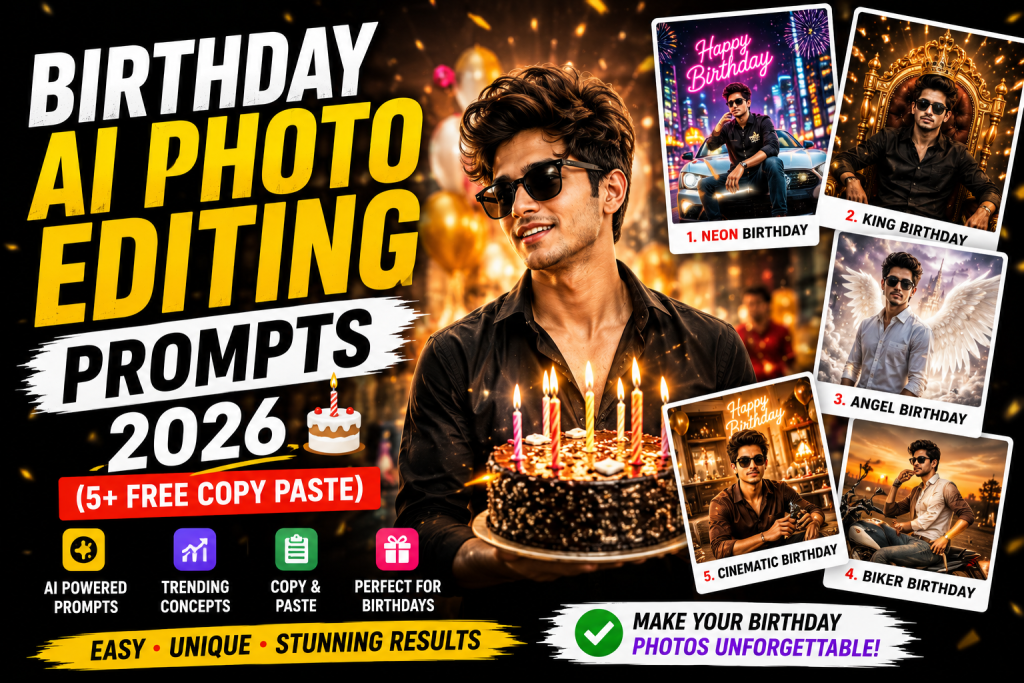
A birthday deserves a special photo, and these birthday AI photo editing prompts let you create joyful, celebration filled portraits in seconds. This guide gives you five copy paste prompts, each in a one tap copy box, designed to add festive lighting, balloons, cake, and a happy premium mood while keeping your face natural. Perfect for birthday posts, status updates, and celebration reels.
Why Birthday Edits Are Always in Demand
Birthdays are one of the most shared moments on social media, and everyone wants a standout photo for the occasion. A bright, celebratory portrait with warm lights and festive elements captures the joy of the day and gets plenty of likes and wishes. AI makes it easy to create a party ready look without a professional setup, and these prompts focus on warm light and tasteful celebration details for a premium, joyful result.
1. Festive Balloon Birthday Prompt
This prompt adds a colourful balloon backdrop and warm party lighting for a classic birthday look.
Balloon Birthday Prompt
Edit this photo into a joyful birthday portrait. Keep the same face, outfit and pose. Add a colourful balloon backdrop, warm party lighting with soft bokeh, a happy celebration mood, gentle glow, and natural skin texture. Premium festive finish, ultra sharp 4K.
2. Golden Glow Birthday Prompt
For a warm, elegant celebration feel with golden lights, this prompt creates a premium birthday mood.
Golden Glow Birthday Prompt
Edit this photo into an elegant birthday portrait. Keep the same face and pose. Add warm golden fairy lights and soft bokeh in the background, a gentle glow on the subject, a joyful premium mood, and natural skin. High resolution, cinematic warmth.
3. Cake Celebration Prompt
This prompt adds a beautifully lit birthday cake scene for a heartfelt celebration portrait.
Cake Celebration Prompt
Edit this photo into a birthday cake celebration portrait. Keep the same face and pose. Add a softly glowing birthday cake with candle light, warm party lighting, a happy festive background with gentle bokeh, natural skin, and a joyful mood. Premium finish, sharp 4K.
4. Confetti Party Prompt
For an energetic, fun party feel, this prompt adds falling confetti and bright celebration colour.
Confetti Party Prompt
Edit this photo into a fun confetti birthday portrait. Keep the same face, outfit and pose. Add falling colourful confetti, bright joyful party lighting, a festive background with soft bokeh, a happy energetic mood, and natural skin texture. High resolution, premium finish.
5. Cinematic Birthday Portrait Prompt
This prompt blends celebration with a film like grade for an elegant, premium birthday image.
Cinematic Birthday Prompt
Edit this photo into a cinematic birthday portrait. Keep the same face and pose. Add warm celebration lighting, soft bokeh lights in the background, a gentle teal and warm film grade, a joyful elegant mood, and realistic skin. Movie like premium finish, ultra sharp 4K.
How to Use These Prompts Step by Step
- Open Google Gemini and start image editing mode.
- Upload a clear, well lit photo with a simple background.
- Tap Copy on the prompt box you want and paste it into the chat.
- Attach your photo in the same message and send.
- If the result is close but not perfect, add one small instruction such as keep the face exactly the same or make the background darker.
- Download the final image and use it for your post or reel.
Tips for Joyful Birthday Edits
Warmth and balance make birthday edits feel premium. Always ask for warm, soft party lighting rather than harsh light, because warmth communicates celebration. Keep the festive elements tasteful, since a few balloons or soft confetti look elegant while too many feel cluttered. Soft background bokeh makes party lights feel magical. Lock the face so your features stay natural under the warm glow. For more festive looks, see my Diwali AI photo editing prompt and the warm cinematic Lightroom preset.
Customising Your Birthday Look
These prompts adapt to any style. For a fun, youthful feel, use the confetti or balloon prompt. For an elegant celebration, use the golden glow or cinematic prompt. Change the colour theme by adding a line such as use pink and gold party colours. Add a personalised touch by mentioning a number or theme. A single follow up such as add more warm bokeh refines the result without starting over.
Turn Your Birthday Edit Into a Reel
Birthday portraits make joyful reels and status videos. Generate two or three looks, then sequence them with a happy trending track using a template from my CapCut template links collection. A velocity CapCut template adds fun energy, while a slow motion CapCut template suits an elegant reveal. Finish with a warm grade and follow my reel editing guide.
Mistakes to Avoid
Do not overcrowd the image with too many festive elements, since balance looks more premium. Do not use cold lighting, because birthdays feel warm and joyful. Do not over saturate the colours. And always keep the face locked so the celebration edit clearly looks like you.
Planning a Birthday Photo Theme in Advance
The most memorable birthday edits start with a simple theme, and a little planning makes the result feel polished rather than random. Pick a colour scheme first, for example pink and gold, or black and silver for an elegant adult birthday, and carry it through the balloons, lights, and overall mood. Decide whether you want a fun, playful feel or a warm, elegant one, since this guides which prompt on this page suits you best. If the birthday is for someone else, choose a theme that reflects their personality. Preparing your source photo with this theme in mind, for example wearing colours that match, makes the edit cohesive. You can reinforce the theme in any prompt by adding a line such as use a pink and gold colour scheme. A clear theme also makes it easy to create a matching set of images for a story or reel.
Turning Birthday Photos Into a Shareable Story
Birthday content spreads best when it tells a small story across several frames. Create three or four images that flow together, for example a portrait with balloons, a close up with the cake and candle light, and a joyful confetti moment. Keep the colour theme consistent so the set feels unified. These frames work beautifully as an Instagram story sequence, a WhatsApp status series, or a celebration reel. Add warm festive music and gentle transitions using a velocity CapCut template for fun energy or a slow motion CapCut template for an elegant reveal. A short, heartfelt caption encourages friends and family to share and comment, which lifts engagement. Finish with a warm cinematic Lightroom preset for a golden celebratory glow, and explore more festive prompts in the AI photo editing prompts hub.
Frequently Asked Questions (FAQ)
What are birthday AI photo editing prompts?
They are instructions that turn your photo into a joyful birthday portrait with festive lighting, balloons, cake or confetti while keeping your face natural.
Are these prompts free?
Yes. Copy any prompt here for free and use it in Gemini or ChatGPT, which may limit daily free generations.
Can I add a custom theme or colour?
Yes. Add a short line such as use pink and gold party colours or mention a theme to personalise the edit.
Which prompt is best for a status video?
The golden glow and cinematic birthday prompts work beautifully for warm, elegant status videos and reels.
Can I make a birthday edit for someone else?
Yes. Upload their photo and use any prompt here, keeping the face the same, to create a special birthday portrait as a gift.
Birthday Edits as Thoughtful Gifts
A beautifully edited birthday portrait makes a thoughtful, personal gift that costs nothing but effort. Take a favourite photo of the birthday person, use any prompt on this page while keeping their face exactly the same, and create a celebration portrait themed around their personality and favourite colours. You can build a small set of images into a heartfelt story or reel, add a warm message, and share it on their special day. This kind of personal, creative gift often means more than a bought present, and it is easy to make once you have the prompts. Keep the festive elements tasteful so the focus stays on the person. Sequence the images with a gentle slow motion CapCut template and a warm cinematic Lightroom preset for a polished surprise that feels thoughtful and personal. A handmade digital gift like this is often remembered long after the day itself, because the effort and personalisation show genuine care that a bought item rarely matches. For more celebration styles to gift or post, explore the wider AI photo editing prompts hub.
Final Thoughts
These birthday AI photo editing prompts give you joyful, celebration ready portraits in one tap. Save this page, try all five, and pair your favourite with a birthday reel and a warm grade from across Editing By Vikas. Fresh prompts are added every week in the AI photo editing prompts library.