Diwali AI Photo Editing Prompt 2026 (Gemini Copy Paste)
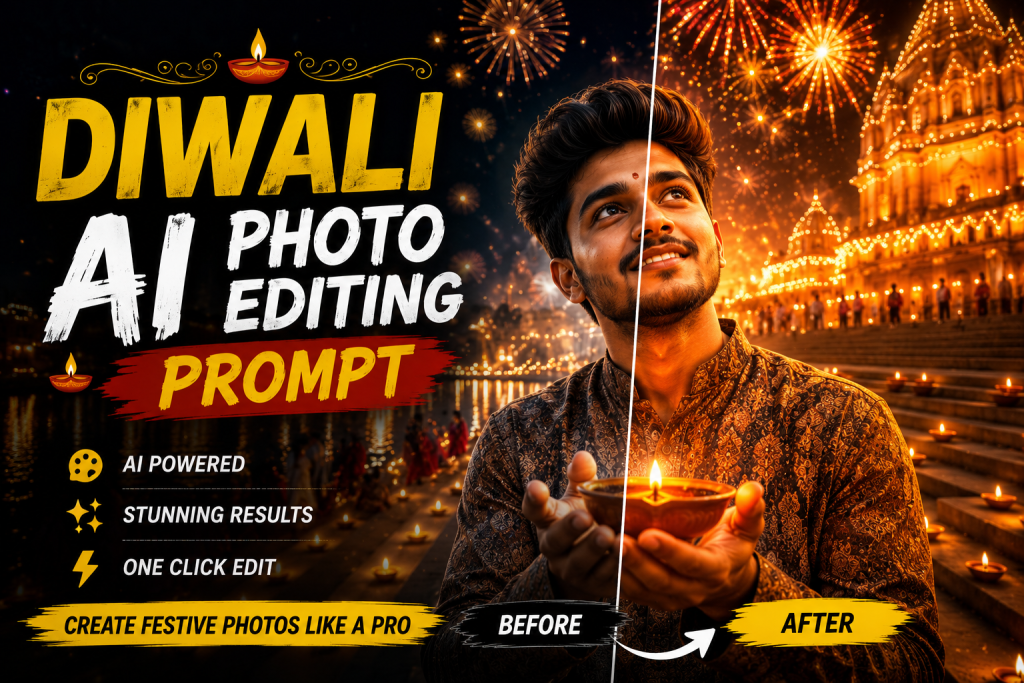
Diwali is the biggest festival for photo sharing in India, and a stunning Diwali AI photo editing prompt lets you create a glowing, festive portrait in seconds. With one copy paste prompt you can add warm diya lighting, rich traditional outfits, and a celebration backdrop while keeping your face natural. This guide gives you the prompts and the styling tips that make Diwali edits look magical.
Why Diwali Edits Go Viral
Festival content peaks every year as people share themed photos on Instagram, WhatsApp, and Facebook. Diwali in particular is full of warm light, colour, and emotion, which makes it perfect for striking AI portraits. Publishing your edits a week or two before the festival lets them rank and trend right when everyone is searching. A glowing festive portrait is one of the most shared image types of the season.
The Diwali AI Photo Editing Prompt
Copy the prompt below, open Gemini or ChatGPT, attach your photo, and send.
Diwali Prompt
Edit this photo into a festive Diwali portrait. Keep the same face and pose. Add warm glowing diya and fairy light bokeh in the background, a rich traditional outfit, soft golden festival lighting, gentle glow on the subject, and a joyful premium mood. Natural skin texture, ultra sharp 4K.
For a saree focused festive look, see my saree AI photo editing prompt, and browse more in the AI photo editing prompts hub.
Rangoli and Crackers Variation
This version adds a celebration backdrop with rangoli and soft fireworks.
Diwali Celebration Prompt
Edit this photo into a Diwali celebration portrait. Keep the same face and pose. Add a colourful rangoli foreground, soft fireworks and warm lights in the background, a festive traditional outfit, golden lighting, and a happy premium mood. Realistic skin, high resolution.
How to Use the Diwali Prompt
- Open Google Gemini or ChatGPT image mode.
- Upload a clear front facing photo.
- Copy a prompt above and paste it with your photo.
- Send and review the lighting and outfit.
- Refine with a line such as make the diya glow warmer or add more fairy lights.
Styling Tips for Festive Diwali Edits
Warm light is the soul of a Diwali edit, so always ask for golden, glowing tones. Choose a rich traditional outfit in festive colours like deep red, gold, or royal blue. Keep the background bokeh soft so the lights feel dreamy rather than busy. Lock the face so your features stay natural under the warm glow. For the lighting theory behind warm premium portraits, see my cinematic prompt guide.
Turn It Into a Festive Reel
Diwali portraits travel far as reels. Generate two or three looks, then sequence them with a trending festive track using a template from my CapCut template links collection. Finish with a warm cinematic Lightroom preset for that golden festival glow, and follow my reel editing guide for smooth transitions.
Mistakes to Avoid
Do not request a cluttered background that competes with your face. Do not use cool blue tones, since Diwali is about warm golden light. And always keep the face locked so the festive edit clearly looks like you.
Planning Your Diwali Content Calendar
Festival content rewards planning. Start creating your Diwali edits one to two weeks before the festival so they have time to rank and so you are not rushing on the day itself. Prepare a small batch of looks, a glowing diya portrait, a rangoli scene, and a family or couple frame, so you have variety to post across the festive week. Schedule them in advance and keep one or two ready for last minute trends. This calm, prepared approach lets you ride the festival wave fully instead of scrambling. The same planning works for every festival, from Navratri to Holi, so build the habit once and reuse it each season.
Matching Outfits and Backgrounds
The strongest festive edits feel coordinated. Match your outfit colour to the warm festival lighting, with deep reds, golds, and royal blues working best against glowing diyas. Keep the background bokeh soft so the lights feel magical rather than cluttered. If you are creating a couple or family edit, ask the AI to keep the lighting consistent across all faces so the group looks naturally lit by the same warm glow. For a saree centred festive look, combine this with my saree AI photo editing prompt and finish with a warm cinematic Lightroom preset.
Sharing Diwali Edits Across Platforms
Diwali content spreads across more than Instagram. The same glowing portrait works as a WhatsApp status, a Facebook post, and a story, so create one strong edit and share it everywhere during the festive week. Add a warm festive greeting in your caption to encourage shares, since festival posts are often forwarded to family and friends. Posting a varied set, a solo portrait, a family frame, and a celebration scene, gives your audience more reasons to engage throughout the festival.
Frequently Asked Questions (FAQ)
What is a Diwali AI photo editing prompt?
It is an instruction that turns your photo into a festive Diwali portrait with warm diya lighting, traditional outfits and a celebration backdrop while keeping your face natural.
Is the Diwali prompt free?
Yes. Copy any prompt here for free and use it in Gemini or ChatGPT, which may limit daily free generations.
When should I post Diwali edits?
Publish a week or two before Diwali so your content ranks and trends right when people are searching for festive edits.
Can I choose my outfit colour?
Yes. After the first result, add a short line such as make the outfit deep red or royal blue to set the colour.
Quick Recap for Glowing Diwali Edits
For the best Diwali portrait, ask for warm golden lighting, choose a rich festive outfit, keep the background bokeh soft, and lock the face. Plan and create your edits a week or two before the festival, then post a varied set across the festive week. Pair them with a festive reel and a warm cinematic Lightroom preset for extra glow.
Final Thoughts
A Diwali AI photo editing prompt gives you a glowing, festive portrait without a studio shoot. Save this page, try both variations, and pair them with a festive reel and a warm grade from across Editing By Vikas. Fresh festival prompts are added every week in the AI photo editing prompts hub.