TM SIM Registration: How to Register Your TM SIM Online
SIM registration TM is required for TM subscribers in the Philippines under the SIM Registration Act. Registering your SIM helps keep your mobile number active and allows you to continue using calls, text messages, mobile data, and other services.
TM users can complete SIM registration through Globe’s official SIM registration platform. The process requires your personal information, a valid government-issued ID, and verification through an OTP.
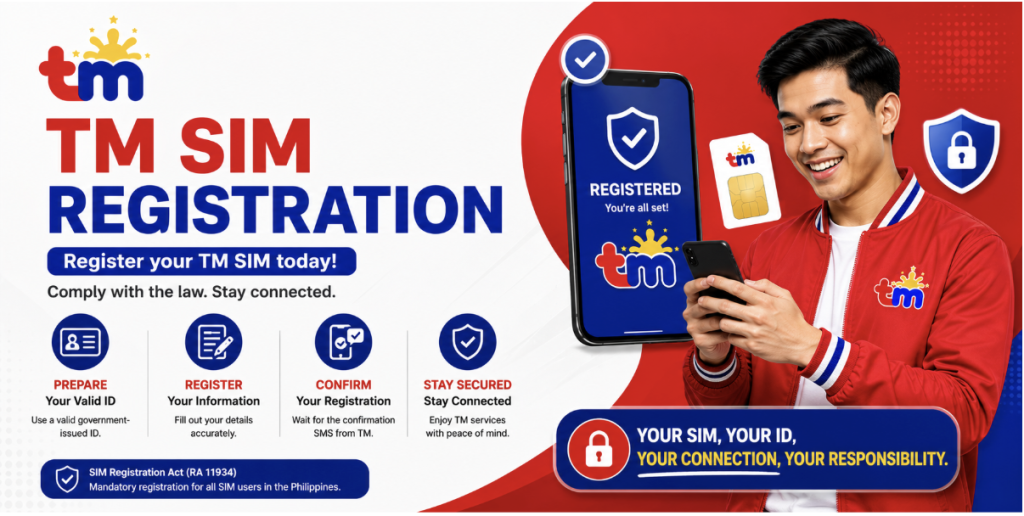
What Is TM SIM Registration?
TM SIM registration is the process of linking your TM mobile number with your verified personal information.
The requirement comes from Republic Act No. 11934, also known as the SIM Registration Act. The law applies to SIM cards, including physical SIMs and electronic SIMs used in mobile phones and other supported devices.
For new subscribers, the SIM must be registered before it can be activated and used.
TM SIM Registration Requirements
Before starting your registration, prepare the following information:
- Your TM mobile number
- Full name
- Date of birth
- Gender or sex
- Complete address
- Nationality
- Valid government-issued photo ID
- A selfie for identity verification
Globe’s official registration information lists several accepted IDs, including a passport, driver’s license, National ID, BIR/TIN ID, UMID, PhilPost Postal ID, SSS ID, and PRC ID.
Make sure your ID is valid and readable before uploading it.
How to Register TM SIM Online
You can register your TM SIM online through the official Globe SIM registration portal.
Step 1: Open the Official Registration Portal
Go to the official Globe SIM registration website:
Official Globe SIM Registration Portal
Avoid unofficial websites or registration links shared through random social media posts. Globe has specifically warned customers about fake SIM registration websites designed to collect sensitive personal information.
Step 2: Enter Your TM Mobile Number
Enter your TM mobile number in the registration form and select the option to register.
The system will verify your number before allowing you to continue.
Read: VN Cinematic Code and AI CB Editing PNG.
Step 3: Enter the OTP
You will receive a One-Time PIN (OTP) through SMS.
Enter the six-digit OTP on the registration page. Globe states that the OTP expires after five minutes, so enter it promptly.
If you do not receive the OTP, check your network signal and request another OTP if the option is available.
Step 4: Complete Your Personal Information
After OTP verification, complete the required registration fields.
You may need to provide:
- Full name
- Birthday
- Gender
- Address
- Nationality
Enter your information exactly as it appears on your identification document.
Step 5: Upload Your Valid ID
Select the appropriate government ID from the available options and upload a clear copy.
The ID should be valid, readable, and match the information you entered in the registration form.
Step 6: Take a Selfie
The registration process also requires a selfie for identity verification.
Follow the instructions displayed on the screen and make sure your face is clearly visible.
Step 7: Review and Submit
Review all the information you entered before submitting the form.
Agree to the required privacy notice and attestation, then select Submit to complete your registration.
Step 8: Save Your Reference Number
After successful submission, a reference number will appear on the screen.
Save or screenshot this number because it can serve as proof that you completed the registration process.
Is TM SIM Registration Free?
Yes. Globe states that online SIM registration is free and zero-rated, meaning customers can register without being charged for the registration process.
You should never pay a third-party website or individual simply to register your TM SIM.
Can I Register TM SIM Through GlobeOne?
TM is part of Globe’s mobile services, but Globe’s current GlobeOne feature information indicates that SIM Card Registration is not applicable to TM within the GlobeOne app. TM users should therefore use the official SIM registration website rather than assuming the GlobeOne registration feature is available for TM.
How to Register Multiple TM SIMs
If you own multiple TM SIMs, each SIM must be registered individually under the appropriate owner’s name.
Globe states that users with multiple SIMs can register each one by repeating the registration process for every mobile number.
How to Register a TM SIM for a Minor
If the SIM user is a minor who does not have the required government ID, the SIM must be registered under the name of the parent or legal guardian.
The parent or legal guardian should provide the required information and documents during registration.
What Happens If You Don’t Register Your TM SIM?
An unregistered SIM cannot continue receiving normal mobile services after the applicable registration requirements and deadlines.
Globe states that failure to register results in deactivation, meaning the user can no longer use the SIM for calls, texts, mobile data, and other mobile services.
For a new SIM, registration is required before activation.
TM SIM Registration Problems
Sometimes users may experience problems while completing registration. Common issues include:
- OTP not received
- Invalid or expired OTP
- ID upload failure
- Blurry ID image
- Selfie verification problems
- Incorrect personal information
- Weak network connection
- Registration page not loading
If you encounter an error, first check your internet connection, make sure your ID image is clear, and verify that your personal information matches your identification document.
If the problem continues, use Globe’s official support channels rather than giving your personal information to an unofficial registration service.
How to Avoid Fake TM SIM Registration Websites
Be careful when searching for TM SIM registration links. Scammers have created fake registration pages that imitate legitimate registration websites and attempt to collect personal information. Globe has publicly warned users about these fraudulent sites.
For safer registration:
- Use Globe’s official SIM registration portal.
- Do not enter your ID details on unknown websites.
- Do not share your OTP with anyone.
- Avoid registration links sent by suspicious messages.
- Check the website address before uploading your ID or selfie.
Frequently Asked Questions
Is TM SIM registration mandatory?
Yes. TM SIMs are covered by the Philippines’ SIM Registration Act, and registration is required for SIM activation and continued use according to the applicable rules.
What ID can I use for TM SIM registration?
Accepted IDs include a passport, driver’s license, National ID, BIR/TIN ID, UMID, PhilPost Postal ID, SSS ID, and PRC ID, among others listed by Globe.
Can I register my TM SIM online?
Yes. TM users can use Globe’s official online SIM registration platform.
Is TM SIM registration free?
Yes. Globe says its online SIM registration is free and zero-rated.
Can I register more than one TM SIM?
Yes. Each SIM must be registered separately under the appropriate owner’s name.
What should I do if I don’t receive the OTP?
Check that your TM SIM has network coverage and that the mobile number you entered is correct. If available, request another OTP and enter it before it expires.
Do I need to save my registration reference number?
Yes. It is a good idea to save the reference number shown after successful registration because Globe identifies it as proof of registration.
Final Words
TM SIM registration is a straightforward process when you use the official Globe registration platform. Keep your TM number, personal information, valid government ID, and selfie ready, complete the OTP verification, and save your reference number after submission.
Most importantly, avoid unofficial registration websites. Your ID, selfie, mobile number, and OTP are sensitive information, so always use an official Globe registration channel.