AI CB Editing PNG: Best Free PNGs and AI Tools for CB Edits in 2026
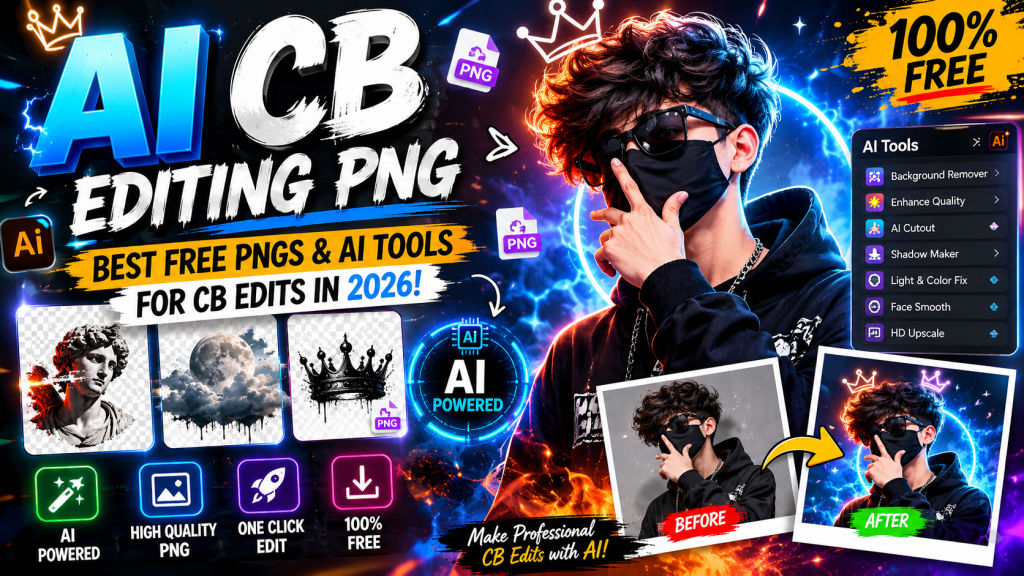
Open Instagram and scroll for a minute. You will spot at least one CB edit somewhere. Dramatic sunset backgrounds, smoke effects, flying hair, glowing light rays, that whole cinematic Bollywood vibe. The crazy part is that most of these edits start with one thing: free PNG files layered with AI tools.
AI CB editing PNG means using free transparent PNG files (backgrounds, hair, smoke, light effects, lens flares) combined with AI photo editing tools like PicsArt AI, Photoshop AI, Canva AI, or ChatGPT to create dramatic CB-style photo edits. You download the PNGs, upload your photo, layer them on top, and use AI to blend everything into a finished cinematic edit.
This guide gives you the best free CB editing PNG packs to download, the top AI tools to use them with, and step-by-step tutorials to make your own viral CB edits. By the end, you will know how to turn any normal selfie into a dramatic cinematic photo in under five minutes.
What Is AI CB Editing PNG?
AI CB editing PNG is a photo editing style that uses transparent PNG files plus AI tools to create dramatic, cinematic edits. The “CB” in the name comes from the famous Indian editing style made popular by editor CB (Chinky Boy) and other Indian creators on Instagram and YouTube.
Check: Editing By Vikas
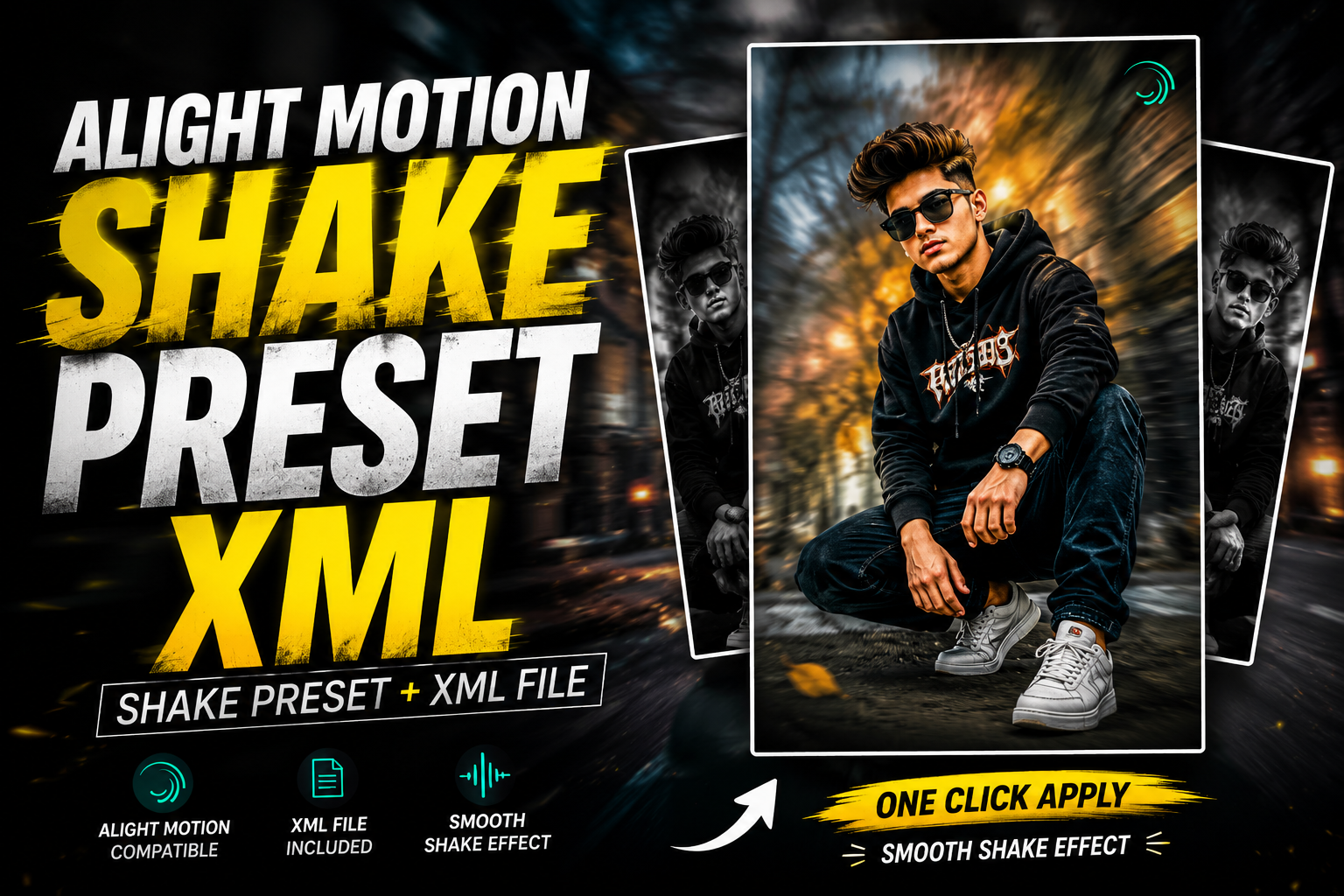
The style mixes a real portrait with layered PNG elements like sunset skies, smoke clouds, light rays, flying hair, and shadow effects. AI tools then blend everything together to make it look like one realistic photo. The result is that movie-poster look you see everywhere on Indian social media.
What Makes a CB Edit Different
A normal photo edit just fixes colors, brightness, or backgrounds. A CB edit goes much further. It adds drama, mood, and cinematic effects that make the subject look like a film hero.
Common CB edit elements include moody sunset backgrounds, smoke around the subject, flying hair effects, light flares, fog, and dramatic shadows. The whole goal is to take a regular selfie and make it look like a Bollywood poster. AI tools now make this process faster than ever.
Why AI Is Replacing Manual CB Editing
Traditional CB editing in PicsArt or Photoshop takes 30 minutes to an hour per photo. You had to manually mask, blend, color match, and adjust shadows. With AI tools in 2026, the same edit takes under five minutes.
AI handles the hard parts automatically. Background removal happens in one click. Color matching between the PNG and your photo is done by AI. Even shadow blending and lighting correction is automatic. You just pick the PNGs, drop them in, and the AI finishes the job.
Best AI Tools for CB Editing With PNG Files
Not every AI tool is built for CB-style edits. Here are the ones that work best in 2026.
PicsArt AI
PicsArt is the king of CB editing for a reason. It has AI background removal, AI photo blending, free PNG support, and tons of CB-style filters. The mobile app is what most Indian creators use daily. Free users get most tools, with PicsArt Gold for advanced features and unlimited use.
Photoshop AI (Generative Fill)
Adobe Photoshop now has AI Generative Fill, which is the most powerful tool for serious CB editors. You can remove backgrounds, blend PNGs, add new elements, and fix lighting with text prompts. The paid plan is worth it for creators who edit daily and want pro-level results.
Canva AI
Canva AI is the easiest tool for beginners doing CB-style edits. It has free background removal, a huge library of PNGs and elements, and one-click filters. Free users get plenty of features. Best for quick edits when you do not want to learn complex software.
ChatGPT With Image Editing
ChatGPT’s image editing feature lets you upload your photo and use text prompts to add CB-style effects. You can ask it to add smoke, sunset lighting, or dramatic shadows. The results are getting better with each update, especially for cinematic looks.
Snapseed
Snapseed is Google’s free mobile editor and a favorite for CB editors. It has selective color tools, healing brushes, and double exposure features that work great with PNG layers. Free, no ads, and works on both Android and iPhone.
Lightroom Mobile AI
Lightroom Mobile has AI presets and masking tools that work well after you finish layering PNGs. Use it for the final color grading and tone adjustments. The free version covers most features, with paid plans for advanced AI presets.
Best Free CB Editing PNG Packs to Download
Here are the most popular types of CB editing PNGs you need in your collection. All of these are widely available on free PNG sites and Telegram channels.
CB Background PNGs
These are the foundation of any CB edit. Common types include sunset skies, dark cloudy backgrounds, mountain views at golden hour, foggy forests, and neon-lit cities. Download a pack of 50 to 100 backgrounds and you will have options for every mood.
CB Hair PNG Files
Flying hair PNGs make any portrait look more dramatic. Common styles include long flowing hair, side-swept hair, and wind-blown waves. These layer over your real hair to add motion and mood. Match the hair color and direction to your photo for the best results.
Smoke and Fog PNGs
Smoke effects are the classic CB element. White smoke, colored smoke, fog clouds, and mist all work well. Layer them around the subject’s feet, behind the head, or covering parts of the background for instant drama.
Light Effect PNGs
Light flares, sun rays, lens flares, and glowing light streaks add cinematic mood to any CB edit. Place them coming from the side or behind the subject. Match the light color to the background for a natural look.
Shadow PNGs
Realistic shadow PNGs help your subject blend into the new background. Drop shadows under the feet, behind the body, or on nearby surfaces. Without shadows, the edit looks fake and floating.
Outfit and Accessory PNGs
Sunglasses, jackets, watches, chains, and hats are common accessory PNGs in CB edits. Layer them on top of your photo to change the look without taking a new picture. AI tools blend them in better than manual editing ever could.
Text and Quote PNGs
CB edits often include stylish text overlays with names, quotes, or hashtags. Pre-made text PNGs save you from building them from scratch. Popular styles include neon text, 3D gold text, and graffiti-style fonts.
How to Make AI CB Edits With PNG Files
The process is the same on most tools. Here is the simple step-by-step method.
Step 1: Pick Your Base Photo
Start with a clear, high-quality photo of yourself. Front-facing or three-quarter angle shots work best. Make sure your face is sharp and well-lit. Blurry or dark photos give weak CB edits.
Step 2: Remove the Background
Open PicsArt AI or Canva AI and use the AI background removal tool. One click and your background is gone. Save the cutout as a transparent PNG.
Step 3: Add a CB Background PNG
Pick a background PNG that matches the mood you want. Sunset for warm vibes, dark clouds for dramatic edits, or neon city for modern looks. Place your cutout on top of the new background and resize to fit.
Step 4: Layer Hair, Smoke, and Light PNGs
Add flying hair PNG behind your hair. Place smoke or fog PNGs around your body. Drop light flare PNGs from the side or behind the subject. Less is often more, so do not overload the photo.
Step 5: Match Colors With AI
Use the color match feature in PicsArt or apply an AI filter that blends everything. This step makes the edit look like one photo instead of a collage. Most apps do this in one click now.
Step 6: Add Shadows and Final Touches
Drop a subtle shadow under the subject’s feet. Add a lens flare. Use the brightness and contrast sliders to balance the whole photo. Then add any text PNG for names or quotes.
Step 7: Export in HD
Save your final edit in the highest quality your app allows. Aim for 1080 by 1350 pixels for Instagram or 1080 by 1920 for Reels and Stories. Done.
Where to Download Free CB Editing PNG Files
Free PNG packs are everywhere if you know where to look.
Telegram Channels
Telegram is the biggest source for free CB editing PNGs in India. Many editing channels share full PNG packs as zip files. Search for terms like “CB editing PNG,” “PicsArt PNG pack,” or “free editing material” on Telegram.
YouTube Tutorial Descriptions
Many Indian YouTube editors share PNG download links in their video descriptions. Channels like Sahil Editz, RK Editing Zone, and Maddy Creation regularly upload free PNG packs along with editing tutorials.
PNG Tree and Free PNG Sites
Websites like PNG Tree, Free PNG, and CleanPNG offer thousands of free PNGs in transparent format. Search for specific elements like “smoke PNG,” “sunset background,” or “light effect PNG.” Some require free signup, while others are direct download.
Pinterest is a goldmine for CB editing inspiration and PNG resources. Search for “CB editing PNG” or “PicsArt editing material” and save the ones you like. Many pins link straight to free download pages.
Direct App Libraries
PicsArt and Canva have built-in PNG and sticker libraries. You can use those directly inside the app without downloading anything. Free users get a wide selection, with more available on paid plans.
Top CB Editing Styles You Can Make With AI
Different occasions call for different CB edits. Here are the most popular styles in 2026.
Birthday CB Edit
Add golden balloons, confetti, sparkle PNGs, and a soft glow background. Use a “Happy Birthday” text PNG with your name. AI tools blend the lighting to give a warm celebration mood.
Wedding CB Edit
Layer flower PNGs, soft mandap backgrounds, and warm golden light effects. Smoke PNGs around the couple add cinematic depth. Perfect for save-the-date posts and wedding albums.
Birthday Boy Hero Edit
The classic Indian birthday poster style. Sunglasses PNG, suit overlay, smoke around the body, and a sunset or dark background. Add bold name text and birthday date. AI handles the color matching.
Sad Boy CB Edit
A trending style with cloudy backgrounds, rain effects, and dark mood lighting. Add a smoke PNG and shadow to deepen the mood. Black-and-white filters work well for this style.
Cricket Lover CB Edit
Stadium background PNG, cricket bat or ball overlay, light rays, and team flag PNGs. Hugely popular during IPL and cricket world cup seasons. AI blending makes the stadium feel real.
Travel CB Edit
Mountain or beach background PNG, sunset effects, and atmospheric fog. Add a backpack accessory PNG or sunglasses. Color-grade in Lightroom for that travel vlogger look.
AI Prompts to Make CB Edits in ChatGPT
You can now make full CB edits using ChatGPT with text prompts. Here are tested prompts to try.
Cinematic CB Portrait Prompt
Edit my uploaded photo into a cinematic CB-style portrait. Add a dramatic sunset sky background with orange and purple tones, soft smoke around the subject, flying hair effect, and warm golden light from the side. Keep the original face 100% match. Apply rich color grading and shadow blending. Output in HD, 4:5 aspect ratio.Birthday CB Edit Prompt
Turn my uploaded photo into a CB-style birthday poster. Add golden balloons, soft confetti, and a warm glow background. Include a "Happy Birthday" text overlay in elegant gold font. Add smoke and light effects around the subject. Keep the face 100% match. Output in HD, 4:5 ratio.Sad Boy CB Edit Prompt
Edit my uploaded photo into a sad boy CB-style edit. Add a dark cloudy background, light rain effect, blue moody lighting, and soft fog around the subject. Apply a slight black-and-white tone with selective color on the face. Keep the face 100% match. Output in HD, 4:5 ratio.Cricket CB Edit Prompt
Convert my uploaded photo into a cricket-themed CB edit. Add a stadium background with floodlights, cricket bat in hand, light flares from above, and smoke around the body. Apply cinematic color grading with dramatic shadows. Keep the face 100% match. Output in HD, 4:5 ratio.Tips for Better AI CB Edits
A few simple habits make a huge difference in your final results.
Use High-Quality Source Photos
Always start with a clear, well-lit photo. Blurry or dark photos give weak edits no matter how many PNGs you layer. Take photos in natural light or near a window for the cleanest results.
Do Not Overload the Photo
Beginners often add too many PNGs and the edit looks messy. Pick 3 to 5 elements maximum. One background, one hair PNG, one or two effect PNGs, and one text overlay is usually enough.
Match Colors and Lighting
The number one mistake is mismatched colors. If the background is warm sunset, your subject should also have warm lighting. AI tools do this automatically now, but always preview to make sure it looks natural.
Keep Faces 100% Original
When using ChatGPT or AI tools, always add “keep the face 100% match” to your prompt. AI sometimes changes faces by accident, which ruins the personal feel of the edit.
Practice With Tutorials
YouTube has thousands of free CB editing tutorials. Watch a few from creators like Sahil Editz, Maddy Creation, and RK Editing Zone. Copy their workflow first, then build your own style.
Free vs Paid Tools for CB Editing
Free tools cover most CB edits. Paid versions unlock unlimited use and pro features.
When Free Is Enough
If you make CB edits for fun, social media, or occasional posts, free tools are plenty. PicsArt free, Canva free, and Snapseed give you most CB editing features without paying. Free PNG packs from Telegram cover the rest.
When Paid Plans Make Sense
If you edit daily for clients, run a CB editing YouTube channel, or sell edits, paid plans save time. PicsArt Gold costs around $5 per month. Adobe Photoshop costs around $10 to $20 per month. Both pay for themselves quickly for serious editors.
FAQs About AI CB Editing PNG
What is AI CB editing PNG?
AI CB editing PNG is a style of photo editing that uses transparent PNG files plus AI tools to create dramatic, cinematic edits. Common elements include backgrounds, hair, smoke, and light effect PNGs layered with AI blending.
Where can I download CB editing PNGs for free?
Telegram channels, YouTube tutorial descriptions, PNG Tree, Free PNG, and Pinterest are the best free sources for CB editing PNGs in 2026.
Which app is best for AI CB editing?
PicsArt AI is the most popular app for CB editing. Photoshop AI is best for pros. Canva AI works for beginners.
Can I make CB edits in ChatGPT?
Yes. ChatGPT can apply CB-style effects with text prompts. Add background, smoke, light effects, and color grading instructions to your prompt.
Is CB editing PNG free?
Yes. Most CB editing PNGs are free to download from Telegram channels, PNG sites, and YouTube tutorial links.
How long does an AI CB edit take?
With AI tools, a full CB edit takes 5 to 10 minutes. Manual CB editing without AI used to take 30 to 60 minutes.
Can I sell CB edits I make?
Yes, as long as you use royalty-free PNGs and your own photos. Always check the license on each PNG before using it for paid work.
Final Thoughts on AI CB Editing PNG
AI CB editing PNG is the fastest way to make Bollywood-style dramatic photos without learning complex software. Download a few PNG packs, pick an AI tool like PicsArt or Photoshop AI, and start practicing. The more edits you make, the better your eye gets for color, lighting, and balance. Within a week of daily practice, your edits will look professional. Start with one tutorial today, follow the steps, and post your first CB edit by tonight.