Video Editing Apps: 15 Best Free Apps for Android, iPhone, and PC in 2026
Everyone with a phone is a video creator now. Reels, Shorts, vlogs, wedding clips, gym videos, food videos, all of it needs editing. The good part is you do not need a laptop or expensive software anymore. The right video editing app on your phone can do almost everything a pro editor does.
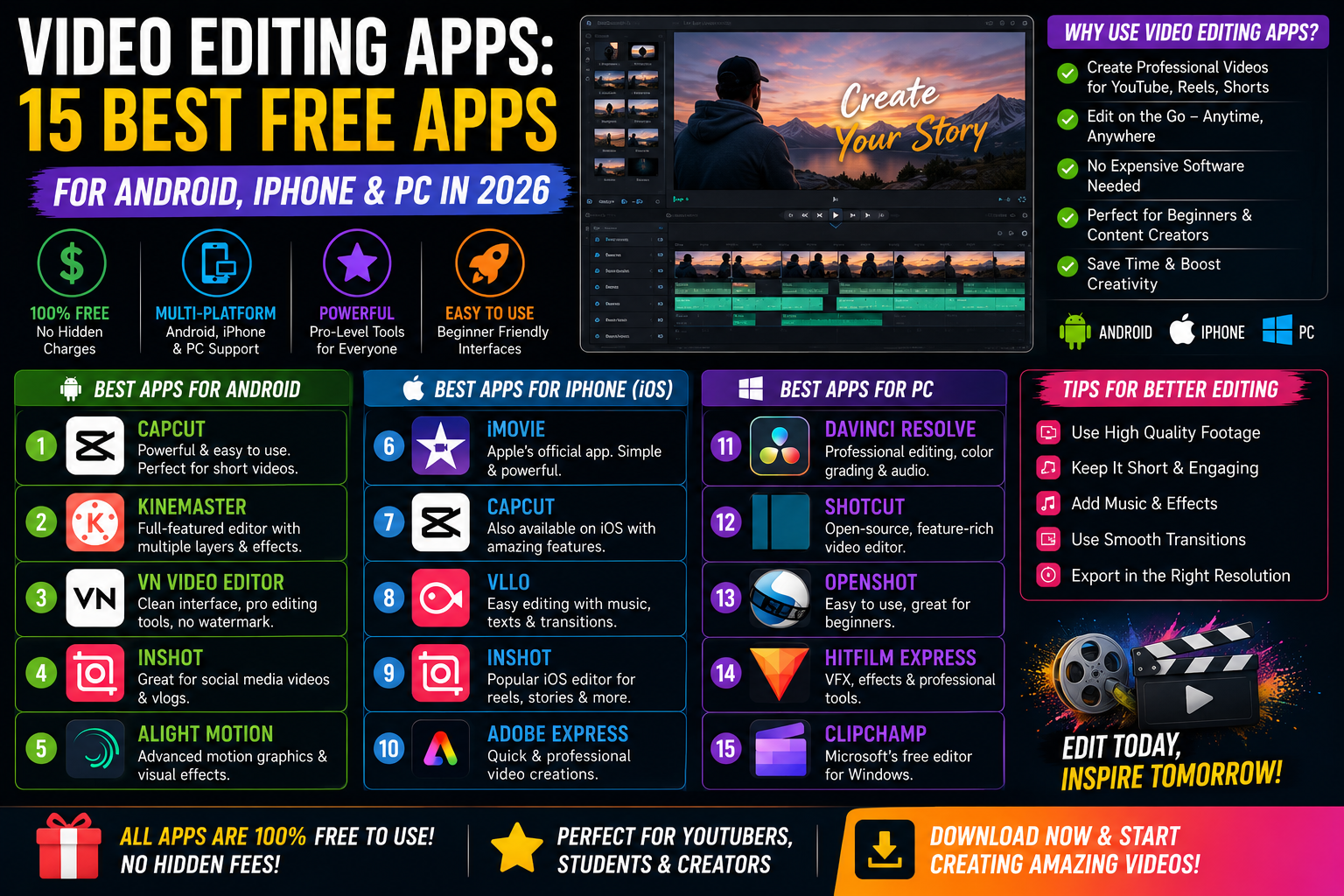
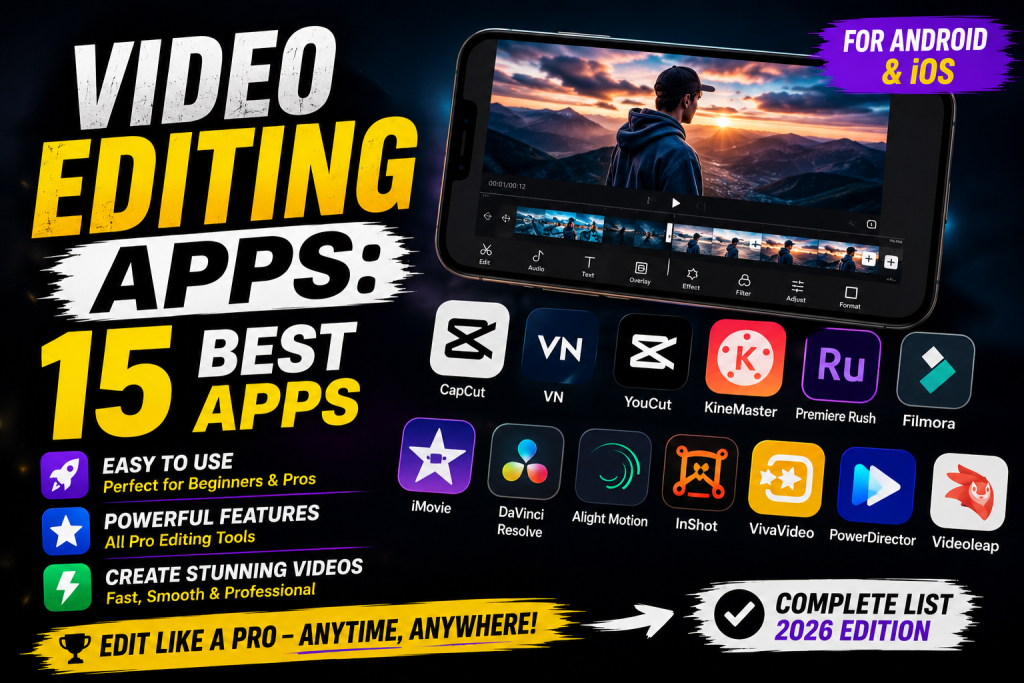
The best video editing apps in 2026 are CapCut, VN Video Editor, InShot, KineMaster, Alight Motion, Adobe Premiere Rush, iMovie, PowerDirector, FilmoraGo, and Quik. These apps work on Android and iPhone, offer free plans with strong features, and let you edit videos directly from your phone in minutes.
This guide lists the 15 best video editing apps, what each one does well, and which one fits your style. By the end, you will know exactly which app to download for your next video, whether it is for Instagram Reels, YouTube, or your own personal collection.
What Are Video Editing Apps?
Video editing apps are tools you install on your phone, tablet, or computer to cut, trim, and edit videos. They let you add music, text, effects, transitions, and filters without using big software like Adobe Premiere or Final Cut Pro. Most apps are free with optional paid upgrades.
These apps work for everything from quick Reels to full YouTube videos. You import a clip from your gallery, drag it onto a timeline, and start editing. Most apps now include AI features like auto-cut, auto-subtitles, and background removal too.
Who Uses Video Editing Apps
Almost everyone with a smartphone uses some kind of video editor now. Instagram creators use them for Reels. YouTubers use them for full videos. Small business owners use them for ads. Even students use them for school projects and presentations.
The biggest reason is convenience. You can shoot a video on your phone and edit it on the same device in minutes. No file transfers, no cables, no waiting. That speed is why video editing apps are now bigger than desktop editing tools for short-form content.
Why You Need a Good Video Editing App
A weak app limits your creativity. A strong app gives you pro-level features for free. Things like multi-layer editing, smooth transitions, keyframe animation, and AI auto-cut were once paid features in desktop software. Now they are free in apps like CapCut and VN Video Editor.
A good app also saves time. Templates, presets, and one-tap effects mean you can edit a Reel in five minutes instead of an hour. For daily creators, that time saving is the difference between posting every day and posting once a week.
How to Choose the Best Video Editing App
Not every app fits every creator. Here is how to pick the right one for your needs.
Match the App to Your Content Style
For short Reels and TikToks, CapCut and InShot are the easiest picks. For longer YouTube videos, KineMaster and PowerDirector give you more control. For artistic edits and motion graphics, Alight Motion is the top choice. For wedding and cinematic clips, VN Video Editor is the favorite of pro Indian creators.
Check the Free vs Paid Limits
Most apps offer free versions, but the limits differ. CapCut is fully free with no watermark. InShot adds a watermark on free exports. KineMaster used to add a watermark but now offers a free no-watermark tier. Always check what the free plan actually includes before you commit.
Look at the Learning Curve
Some apps are made for total beginners with one-tap editing. Others need a few hours of practice to use well. InShot, Quik, and CapCut are perfect for first-timers. KineMaster, Alight Motion, and Premiere Rush take a bit more time to learn, but the results are much better.
Test the Export Quality
A great editing app means nothing if it exports blurry videos. Look for apps that support 1080p or 4K exports without forced compression. CapCut, VN, and KineMaster all give you clean exports up to 4K. Most other apps cap free exports at 1080p.
15 Best Video Editing Apps in 2026
Here are the top picks worth downloading right now. Each one has its own strength, so pick the one that fits your style.
1. CapCut
CapCut is the most popular free video editing app in the world in 2026. It is owned by ByteDance, the same company behind TikTok. CapCut offers free templates, AI auto-cut, background removal, smooth transitions, and even text-to-speech. Best for Reels, TikToks, and quick short videos.
2. VN Video Editor
VN is the favorite app of Indian creators in the wedding and cinematic niche. It offers a full timeline editor with keyframes, color grading, and multi-layer support, all free with no watermark. The interface looks like a mini Premiere Pro. Best for serious creators who want pro features without the cost.
3. InShot
InShot is the easiest video editor for total beginners. You can trim, crop, add music, text, and stickers in seconds. It also has built-in aspect ratios for Instagram, TikTok, and YouTube. The free plan adds a small watermark, but the paid version removes it for a low yearly fee.
4. KineMaster
KineMaster is a long-time favorite for both beginners and pros. It offers multi-layer editing, chroma key, voice overs, and animated stickers. The free plan is generous, and you can pay yearly to unlock everything. Works great for vlogs and tutorial videos.
5. Alight Motion
Alight Motion is the top app for motion graphics and visual effects on mobile. It supports keyframe animation, vector graphics, and color correction. Creators use it for anime edits, lyric videos, and aesthetic Reels. Best for users who want to add cinematic motion to their clips.
6. Adobe Premiere Rush
Adobe Premiere Rush is the mobile version of Premiere Pro. It offers clean editing tools, color presets, and easy export to social media. Free users get limited exports per month. Best for Adobe users who want consistency across phone and desktop.
7. iMovie
iMovie is Apple’s free video editor for iPhone, iPad, and Mac. It is simple, smooth, and gives clean results. You can add titles, transitions, and music in a few taps. Best for iPhone users who just want a basic, reliable editor without any fuss.
8. PowerDirector
PowerDirector is one of the strongest Android editors with full desktop-style features. It supports multi-track editing, AI body effects, motion tracking, and 4K export. The free plan adds a watermark. Best for users who want pro features on Android without paying for a laptop.
9. FilmoraGo
FilmoraGo is the mobile version of Wondershare Filmora. It has a clean, fun interface with tons of effects, templates, and music. Free users get most features with a small watermark. Best for casual creators who want fun edits without too much thinking.
10. Quik by GoPro
Quik is GoPro’s free editor and works great for action shots and travel videos. Just import your clips, and Quik builds a video automatically with music and transitions. You can edit further if you want. Best for vacation videos, sports clips, and quick highlights.
11. LumaFusion
LumaFusion is a paid app, but it is the top choice for serious mobile editors. It has multi-track editing, advanced color tools, and pro audio mixing. Mostly used on iPad, but also works on iPhone and Android. Best for filmmakers who edit fully on mobile.
12. Splice
Splice is owned by GoPro and offers fast video editing with music sync, transitions, and trimming tools. It is great for short social media clips. The free plan covers most basic edits. Best for users who want fast results with minimal effort.
13. ActionDirector
ActionDirector is built for fast action videos and sports clips. It supports slow motion, fast motion, and easy trimming. The free plan adds a watermark, but the paid version is cheap. Best for sports creators and action sport fans.
14. YouCut
YouCut is a lightweight Android app with no watermark even on the free plan. It offers basic trimming, music, and text features. The interface is simple and beginner-friendly. Best for Android users who want a free, no-watermark editor for quick edits.
15. Magisto
Magisto uses AI to turn your clips into finished videos automatically. Upload your footage, pick a style, and Magisto creates the final video for you. It is paid for full features, with a limited free trial. Best for small business owners who want quick promo videos.
Best Video Editing Apps for Android
Android users have tons of solid options. The top picks are CapCut, VN Video Editor, KineMaster, PowerDirector, and YouCut. All five work smoothly on most Android phones, and four out of five are fully free with no watermark.
CapCut is the most popular Android editor in 2026. VN is the best free pick for cinematic and wedding-style edits. KineMaster and PowerDirector give you pro-level features for daily creators. YouCut is the lightest option for older phones or quick edits on the go.
Best Video Editing Apps for iPhone
iPhone users get iMovie pre-installed, but there are better picks. The top iPhone video editing apps are CapCut, VN Video Editor, InShot, LumaFusion, and iMovie itself. All five run smoothly on the latest iPhones and iPads.
LumaFusion is the most powerful editor for iPad users who want desktop-level control. iMovie is the easiest free option for casual edits. CapCut and InShot are the favorites for Reel and TikTok creators. VN works for those who want pro features without paying.
Best Video Editing Apps for PC and Mac
If you want to edit on a laptop or desktop, the top picks are CapCut Desktop, DaVinci Resolve, Adobe Premiere Pro, Final Cut Pro, and Filmora. CapCut Desktop is free with the same features as the mobile app, just bigger. DaVinci Resolve is also free and gives you Hollywood-level color grading.
Adobe Premiere Pro and Final Cut Pro are paid but used by most pro editors worldwide. Filmora is a friendly paid option for beginners who want pro results without the steep learning curve. For free use, CapCut Desktop and DaVinci Resolve are the strongest picks in 2026.
Best Free Video Editing Apps Without Watermark
Watermarks ruin a clean video. Here are the apps that give you free editing without slapping a logo on your work.
The best no-watermark free apps are CapCut, VN Video Editor, YouCut, and KineMaster’s free tier. All four let you export full-length videos without any branding. CapCut and VN also let you export in 4K for free, which most other apps charge for.
If you are stuck with an app that adds a watermark, switching to one of these four solves the problem instantly. No more grey logos in the corner of your Reels.
Top Features in Modern Video Editing Apps
Today’s apps pack features that were once paid extras. Here are the ones worth knowing.
AI Auto-Cut and Smart Editing
CapCut, InShot, and Magisto can analyze your footage and cut it automatically to a beat or storyline. This saves hours for daily creators. Just upload clips, pick a template, and let the AI do the rest.
Background Removal Without Green Screen
Most apps now let you remove the background of a person without a green screen. CapCut, KineMaster, and PowerDirector all offer one-tap background removal. This is huge for product videos, talking-head clips, and creative edits.
Auto-Captions and Subtitles
Adding subtitles used to take an hour per video. Now apps like CapCut and VN do it in 30 seconds with AI auto-captions. They even support multiple languages. Subtitles also boost watch time on Reels and Shorts since most viewers scroll on mute.
Keyframe Animation and Motion Tracking
KineMaster, Alight Motion, and PowerDirector all support keyframe animation. This lets you move text, images, or stickers smoothly across the screen. Motion tracking sticks an object to a moving subject in the video. Both features were once desktop-only.
Color Grading and LUT Support
VN Video Editor, LumaFusion, and Adobe Premiere Rush all support proper color grading with LUTs (color presets). You can match your videos to a Hollywood look in seconds. Free Indian creators use this to make wedding videos feel cinematic.
Free vs Paid Video Editing Apps
Free apps cover most needs. Paid versions unlock unlimited use and pro features.
When Free Apps Are Enough
If you post short videos, Reels, or vlogs less than once a day, free apps are more than enough. CapCut, VN, and YouCut give you everything you need with zero cost. For most users in 2026, the free version is all they will ever need.
When Paid Plans Make Sense
If you edit videos daily for work, need advanced features like motion tracking or 4K export from a watermarked free app, paid plans are worth it. Most paid apps cost between $5 and $20 per month. LumaFusion is a one-time purchase, which works out cheaper for serious creators.
Tips to Edit Videos Faster With Apps
Speed comes from practice and smart shortcuts.
Use Templates for Quick Wins
CapCut, InShot, and FilmoraGo all have hundreds of free templates. Pick one, drop in your clips, and the edit is done in two minutes. Great for daily Reels and Stories.
Learn Keyboard or Tap Shortcuts
Each app has shortcuts that save time. CapCut lets you split clips with a tap. VN has multi-select for batch actions. KineMaster has gesture controls. Spend 10 minutes learning the shortcuts of your favorite app and your editing time drops by half.
Edit on a Tablet or iPad for Long Videos
Phone screens are small. For long YouTube videos or wedding edits, an iPad or Android tablet gives you more space to work. LumaFusion on iPad and CapCut on tablet both feel almost as good as a laptop.
FAQs About Video Editing Apps
Which is the best video editing app for beginners?
CapCut and InShot are the easiest video editing apps for beginners. Both are free, simple, and offer tons of templates to start with.
Which video editing app has no watermark?
CapCut, VN Video Editor, and YouCut all export videos without a watermark on the free plan.
Is CapCut still free in 2026?
Yes. CapCut is still free with most features, including 4K export and no watermark. Some advanced effects need CapCut Pro.
Which video editing app is best for YouTube?
KineMaster, VN Video Editor, and Adobe Premiere Rush are the top picks for YouTube videos. All three handle long-form content well.
Can I edit videos for free on my phone?
Yes. CapCut, VN, InShot, and YouCut all offer free video editing on Android and iPhone with no software purchase needed.
Which is better, CapCut or InShot?
CapCut has more features and no watermark. InShot is easier for total beginners but adds a watermark on free exports. For most users, CapCut wins.
What is the best video editing app for Instagram Reels?
CapCut, InShot, and VN Video Editor are the top three apps for Instagram Reels in 2026.
Final Thoughts on Video Editing Apps
Video editing apps in 2026 are better, faster, and cheaper than ever. Pick one based on your style. CapCut for Reels, VN for cinematic edits, KineMaster for YouTube, and LumaFusion for serious filmmakers. Download the app, watch one or two YouTube tutorials, and you will be editing like a pro within a week. The right app makes the whole difference.