
Edit PDF Online Free: 10 Best Tools to Edit PDFs Without Software in 2026
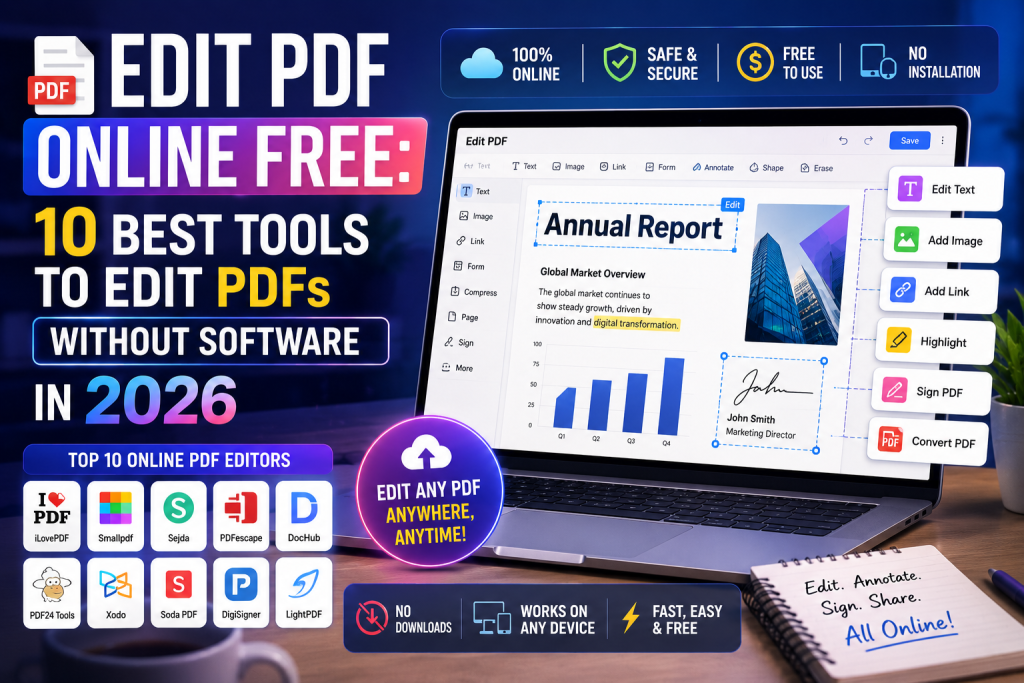
Got a PDF that needs a quick fix but no Adobe Acrobat on your laptop? Maybe a typo in your resume, a missing signature on a contract, or a page that needs deleting. The old way meant paying for software or downloading sketchy apps. The new way takes 30 seconds in your browser.
You can edit PDF online free using browser-based tools like Smallpdf, iLovePDF, Sejda, PDF24, and Canva. Just upload your PDF, make changes, and download the edited file. No software, no signup, and no payment needed for basic edits.
This guide gives you the 10 best free PDF editors, what each one does well, and step-by-step tips to edit any PDF in your browser. By the end, you will know exactly which tool to use for every kind of edit, from adding text to merging pages.
What Does It Mean to Edit PDF Online Free?
Editing a PDF online free means making changes to a PDF file directly in your web browser without paying or installing anything. You open a free website, upload your PDF, make your edits, and download the new file. The whole process takes under five minutes for most tasks.
You can add or remove text, insert images, sign documents, add or delete pages, merge two PDFs into one, split a PDF into parts, and even convert PDFs to Word or JPG. All of this works from any device with a browser, including phones and tablets.
Why Free Online PDF Editors Are So Popular
Most people only need to edit a PDF once or twice a month. Paying $20 per month for Adobe Acrobat for that is a waste. Free online editors give you the same basic features without the cost.
They also work on any device. You do not need a Mac, a Windows PC, or a specific app. As long as you have Chrome, Safari, Firefox, or Edge, you can edit. That flexibility is why free PDF editors get millions of users every day.
What You Can and Cannot Do With Free Tools
Free PDF editors handle 90% of everyday tasks. Adding text, signing, merging, splitting, compressing, and converting are all free on most platforms. You can also rotate, delete, and reorder pages without paying.
What you usually cannot do for free is unlimited daily edits, OCR on scanned PDFs, large file uploads above 10 to 50 MB, and advanced editing like changing existing fonts inside a scanned document. For those, you would need a paid plan or a desktop tool.
How to Edit PDF Online Free in 5 Simple Steps
Editing a PDF online is easier than ordering food on an app. Follow these five steps and you will have an edited PDF in under five minutes.
Step 1: Pick the Right Free PDF Editor
Different tools are better for different jobs. Use Smallpdf or iLovePDF for quick edits, Sejda for advanced features, Canva for design-heavy PDFs, and PDF24 for offline-style web editing. We will cover each one in the next section.
Step 2: Upload Your PDF File
Open the website, click the upload button, and select your PDF from your computer or phone. Most tools also let you drag and drop the file straight into the browser window. Files usually upload in 5 to 15 seconds depending on size.
Step 3: Make Your Edits
Use the toolbar to add text, images, signatures, shapes, or highlights. You can also delete pages, rotate them, or rearrange the order. The interface looks similar to Microsoft Word, so it feels familiar from the first click.
Step 4: Preview Your Edited PDF
Always preview your changes before downloading. Check that the text is in the right place, the signature looks clean, and no pages are missing. Most editors show a live preview on the right side as you work.
Step 5: Download the Edited File
Click the download button and save the new PDF to your computer or phone. Some tools let you email it directly or save it to Google Drive, Dropbox, or OneDrive. Done in less time than making tea.
10 Best Free Tools to Edit PDF Online in 2026
Here are the top free PDF editors worth using in 2026. Each one has a specific strength, so pick the one that fits your task best.
1. Smallpdf
Smallpdf is one of the most popular free PDF editors in the world. It has a clean interface, 20+ tools, and works directly in your browser. You can edit text, add images, sign, merge, split, compress, and convert PDFs. Free users get two free tasks per day, which is enough for casual edits.
2. iLovePDF
iLovePDF offers more than 25 PDF tools, all free for basic use. It handles editing, merging, splitting, compressing, and conversion. The interface is beginner-friendly, and you can also use it on mobile through the iLovePDF app. Free users get a generous daily limit before hitting any caps.
3. Sejda PDF Editor
Sejda is the most powerful free PDF editor for advanced edits. You can change existing text inside a PDF, edit images, redact content, and even fill out forms. The free plan allows 3 tasks per hour on files up to 200 pages or 50 MB. That is more than enough for most users.
4. PDF24 Tools
PDF24 is a German-made free PDF editor with no daily limits on most tools. You can edit, merge, split, compress, and convert PDFs without signing up. It also has a desktop version if you want to work offline. The interface looks a bit older, but the features are top-tier.
5. Canva
Canva is famous for design, but it also lets you edit PDFs for free. Just upload your PDF, and Canva turns it into an editable design. You can change fonts, add images, drag elements around, and download the file back as a PDF. Great for resumes, posters, and any design-heavy PDF.
6. Adobe Acrobat Online
Adobe’s own free online tool lets you edit PDFs without buying Acrobat Pro. You get text editing, image insertion, page management, and basic signing for free. Sign in with a free Adobe account to unlock more tools. The quality is top-notch since it comes from the company that created the PDF format.
7. PDFescape
PDFescape is a long-running free PDF editor that runs entirely in your browser. You can add text, images, links, form fields, and annotations. The free plan supports files up to 10 MB or 100 pages. It also has a desktop version with more features if you upgrade.
8. DocFly
DocFly gives you full PDF editing in the browser with a clean modern look. You can add text, edit existing text, insert images, and rearrange pages. Free users can download three documents per month. Useful for occasional editing rather than daily work.
9. Soda PDF Online
Soda PDF Online is the web version of the Soda PDF desktop app. You can edit, merge, split, sign, and convert PDFs for free. The interface looks like Microsoft Office, which makes it easy to use. Free users get limited daily edits but enough for quick fixes.
10. PDF Buddy
PDF Buddy is one of the simplest free editors out there. It focuses on adding text, signatures, and basic shapes. There are no fancy features, but for quick signing or filling out a form, it is fast and easy. The free plan allows three edits per month.
How to Add Text to a PDF Online for Free
Adding text to a PDF is the most common edit people make. Here is the easiest way to do it in your browser.
Step-by-Step Method
Open Smallpdf, iLovePDF, or Sejda in your browser. Upload your PDF, then click the “Edit” or “Add Text” tool. Click anywhere on the page where you want the new text, and start typing. You can change the font, size, and color from the toolbar.
When you are done, save and download the file. The whole process takes under two minutes. This works for filling out forms, fixing typos, or adding notes to existing documents.
Common Problems and Quick Fixes
Sometimes the text looks misaligned or the font does not match. To fix this, pick a similar font from the toolbar and adjust the size by one or two points. Most free editors offer Arial, Times New Roman, Helvetica, and Calibri, which match most PDF defaults.
If the PDF is scanned (a picture of text rather than real text), you will need OCR to edit it. Sejda and Adobe Acrobat Online both offer free OCR for small files. Run OCR first, then edit the text normally.
How to Sign a PDF Online for Free
Need to sign a contract, lease, or offer letter without printing? Free online tools handle this in under a minute.
Easy Signing Method
Open Smallpdf, iLovePDF, or Adobe Acrobat Online. Upload your PDF and click “Sign” or “eSign.” You can draw your signature with your mouse, type your name in a signature font, or upload an image of your real signature.
Drag the signature to the right spot on the page, resize it, and save. Download the signed PDF, and you are ready to send it back. No printer, no scanner, no fax machine needed.
Are Online Signatures Legal?
Yes, in most countries, electronic signatures are legally valid for contracts, business agreements, and official documents. The U.S. has the ESIGN Act, the EU has eIDAS, and India has the IT Act 2000 covering this. For high-value legal documents like property deeds, you might still need a physical signature, so check local rules first.
How to Merge or Split PDFs Online Free
Merging and splitting are two of the easiest tasks you can do online.
Merging Two or More PDFs
Open iLovePDF, Smallpdf, or PDF24. Click “Merge PDF,” upload all the files you want to combine, and drag them into the right order. Hit “Merge,” wait a few seconds, and download the single combined PDF. Perfect for joining receipts, reports, or chapters into one file.
Splitting One PDF Into Many
Use the “Split PDF” tool on the same websites. Upload your PDF, choose the page range or split points, and click “Split.” You will get separate PDF files for each section. Useful for sharing only certain pages or breaking a big file into smaller ones.
How to Convert PDFs Online Free
Need a PDF as a Word file or a JPG image? Conversion takes seconds.
PDF to Word, Excel, or PowerPoint
Open iLovePDF, Smallpdf, or Adobe Acrobat Online. Click “PDF to Word” (or Excel, or PowerPoint), upload your file, and download the converted file. The text and layout usually stay intact, though complex designs sometimes shift slightly.
PDF to JPG or PNG Images
Same process. Use the “PDF to JPG” tool, upload your PDF, and download each page as a separate image file. Great for sharing single pages on social media or embedding in presentations.
Tips to Edit PDF Online Free Safely
Free online tools are convenient, but you should follow a few simple safety rules.
Use Trusted Websites Only
Stick to well-known names like Smallpdf, iLovePDF, Sejda, PDF24, Adobe, and Canva. Avoid random sites that pop up in ads with too-good-to-be-true offers. Sketchy sites can steal your files or inject malware.
Avoid Uploading Sensitive Documents
For confidential files like tax returns, ID documents, or bank statements, use offline tools instead. Free desktop apps like LibreOffice Draw, PDF24 Creator, or Foxit PDF Reader edit PDFs locally without uploading anything to the cloud.
Check the Privacy Policy
Most trusted PDF editors delete your uploaded files within an hour. Smallpdf, iLovePDF, and Sejda all promise automatic file deletion. Always check this in the site’s privacy policy before uploading personal documents.
Free vs Paid Online PDF Editors
Free tools cover most casual edits. Paid tools unlock unlimited use and pro features.
When Free Is Enough
If you edit PDFs less than 10 times a month and your files are smaller than 50 MB, free tools are more than enough. Smallpdf, iLovePDF, and Sejda give you everything you need for basic edits without paying a rupee.
When Paid Makes Sense
If you edit PDFs daily for work, deal with large files above 100 MB, or need OCR on scanned documents often, a paid plan saves time. Smallpdf Pro, iLovePDF Premium, and Adobe Acrobat Pro all cost between $5 and $20 per month. For one-time use, free works fine. For daily use, paid pays for itself.
FAQs About Editing PDFs Online Free
Can I edit a PDF online for free?
Yes. You can edit PDFs online free using tools like Smallpdf, iLovePDF, Sejda, PDF24, and Canva. No software or signup is needed for basic edits.
Which is the best free PDF editor online?
Smallpdf and iLovePDF are best for everyday use. Sejda is best for advanced editing like changing existing text. Canva is best for design-heavy PDFs.
Is it safe to edit PDFs online?
Yes, on trusted sites. Stick to well-known names and avoid uploading sensitive documents like tax forms or IDs to free cloud tools.
Can I edit a scanned PDF for free?
Yes, but you need OCR first. Sejda and Adobe Acrobat Online offer free OCR for small files. After OCR, you can edit the text normally.
How do I add my signature to a PDF for free?
Use Smallpdf, iLovePDF, or Adobe Acrobat Online. Upload your PDF, click “Sign,” draw or upload your signature, place it on the page, and download.
Are online signatures legally valid?
Yes, in most countries including the U.S., EU, U.K., India, and Canada. Electronic signatures are legally binding for most contracts and business documents.
Can I edit a PDF on my phone for free?
Yes. iLovePDF, Smallpdf, and Adobe Acrobat all have free mobile apps. You can also use the browser version on any phone.
Final Thoughts on Editing PDFs Online for Free
Editing PDFs online for free is faster, easier, and cheaper than ever in 2026. Pick a tool from the list above, upload your file, and make your edits in under five minutes. Save your favorite editor as a bookmark, and you will never need to buy PDF software again. For sensitive files, use offline tools to stay safe.