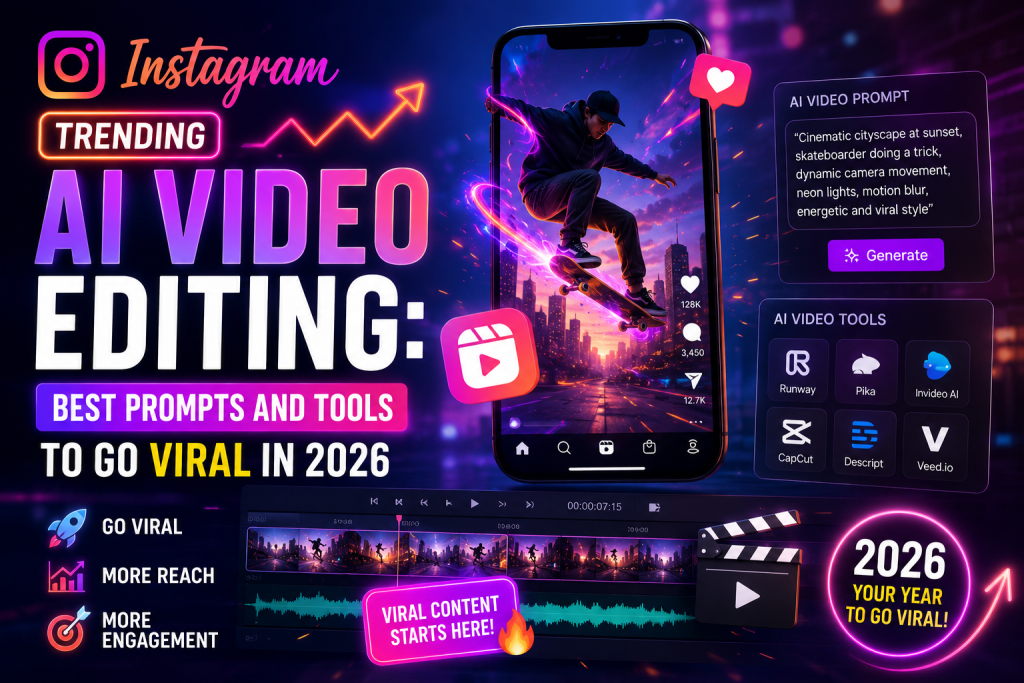
Instagram Trending AI Video Editing: Best Prompts and Tools to Go Viral in 2026
Scroll Instagram for 30 seconds and you will see at least three AI-edited Reels. Some look like Hollywood scenes, others turn selfies into anime clips, and a few make people fly through cities. The wild part is that most of these creators are not pro editors. They just know the right AI tools and the right prompts.
Instagram trending AI video editing means using AI tools like Sora, Veo, Runway, and CapCut AI to create short, viral-style videos for Instagram Reels with just a photo and a written prompt. You upload an image or clip, paste a prompt, and the AI builds a finished video in under a minute. No camera. No editing skills needed.
This guide gives you the best AI video editing prompts, the top tools to use, and simple tips to make your Reels go viral. By the end, you will know exactly how to ride the next trend before everyone else does.
What Is Instagram Trending AI Video Editing?
Instagram trending AI video editing is the new way creators make Reels using artificial intelligence. Instead of shooting and editing manually, you give an AI tool a photo or short clip plus a text prompt, and it creates a finished video for you.
For example, you can upload a selfie and ask the AI to turn it into a 5-second clip of you walking through Tokyo at night. The AI handles the motion, lighting, camera angles, and effects automatically. You just download and post it.
How AI Video Editing Is Different From Normal Editing
Normal video editing means opening software like Premiere Pro or CapCut, cutting clips, adding effects, and exporting. It takes hours and a lot of practice. AI video editing skips all of that.
With AI, you write what you want, and the tool builds it. You can create a flying scene, a fashion runway clip, or a cinematic intro without touching a timeline. This is why AI Reels have taken over Instagram in 2026.
Why Instagram Reels Love AI Videos
Instagram’s algorithm rewards new and unusual content. AI videos look different from regular phone clips, so they grab attention fast. Viewers stop scrolling, watch the full video, and the algorithm pushes it to more people.
The result is that AI Reels often hit 100K to 10 million views in days. Even small creators with a few hundred followers have gone viral using the right AI prompt. That is the kind of reach that used to take years of work.
How Does Instagram Trending AI Video Editing Work?
The process is simple. You pick an AI tool, upload a photo or clip, paste a prompt, and hit generate. The AI creates a short video in 30 seconds to 2 minutes, depending on the tool and length.
The 4 Main Types of AI Video Edits
There are four main styles of AI video edits trending on Instagram right now.
Photo-to-video means you upload a still image and the AI animates it into a moving clip. This is the most popular type for selfies and portraits.
Text-to-video means you type a scene and the AI builds the whole video from scratch. No image needed.
Video-to-video means you upload a real clip, and the AI restyles it into something new, like anime or cinematic.
Lip-sync video means you upload a photo and an audio file, and the AI makes the photo sing or talk in sync.
Why a Good Prompt Matters
The prompt is the most important part of the whole process. A weak prompt gives weak results. A strong prompt with clear style, motion, and mood gives viral-ready clips.
A good AI video prompt has five parts. First, the subject (you, a model, a product). Second, the action (walking, dancing, looking up). Third, the setting (rooftop, beach, neon street). Fourth, the camera move (close-up, drone shot, slow pan). Fifth, the mood (cinematic, dreamy, dark, bright).
Mix these five parts, and you will see a clear jump in quality from your very first try.
Best AI Tools for Instagram Trending AI Video Editing
Not every AI tool makes good Reels. Some are better for cinematic shots, others for quick selfie animations. Here are the top picks worth knowing in 2026.
OpenAI Sora for Cinematic AI Reels
Sora is OpenAI’s video model and one of the most powerful tools today. It creates clips up to 20 seconds long with realistic motion, lighting, and physics. Sora works best for cinematic Reels, story-style clips, and high-quality scene generation. Paid users get the best access, with free credits for testing.
Google Veo for Realistic Motion
Veo is Google’s video model, available through Gemini and the Flow app. It is famous for smooth realistic motion and clean face matching. If you want your real face to stay the same across a video, Veo is the best pick. The free Gemini plan includes a few Veo generations per day.
Runway ML for Pro Video Edits
Runway is one of the oldest AI video tools, and creators still love it. It offers Gen-4 for text-to-video, plus image-to-video and motion brush features. Runway is great for music-style Reels, transitions, and creative storytelling. It runs on a paid plan with limited free credits.
Pika Labs for Quick AI Animations
Pika makes short, fun AI clips fast. It is perfect for animated selfies, meme Reels, and short loop videos. The interface is beginner-friendly, and the free plan gives daily credits. Pika is one of the easiest tools to start with.
CapCut AI for Mobile Video Editing
CapCut AI is built into the CapCut app, which most Reel creators already use. It includes AI features like auto-cut, AI effects, talking photo, and text-to-video. It is free, mobile-first, and perfect for editing on the go.
Other Tools Worth Trying
Other strong picks include Kling AI, Luma Dream Machine, Hailuo AI, Pixverse, Vidu, and HeyGen. Kling and Hailuo are big in 2026 for realistic motion. Luma is great for dreamy slow-motion clips. HeyGen leads in AI avatars and talking-head videos.
Best Instagram Trending AI Video Editing Prompts to Copy
Here are the most popular AI video prompts that are trending on Instagram right now. Paste them into Sora, Veo, Runway, or Pika with your photo, and watch the magic happen.
Cinematic Walking Reel Prompt
This is the most viral AI Reel format of 2026.
A cinematic 5-second clip of the person in my uploaded photo walking confidently down a neon-lit Tokyo street at night. Soft rain falling, warm street lights reflecting on the wet ground, slow camera tracking from behind. Realistic motion, sharp focus on the subject, 4K quality, 9:16 vertical aspect ratio.Selfie-to-Movie Scene Prompt
Turn any selfie into a movie still that moves.
Animate my uploaded selfie into a 5-second cinematic clip. The subject slowly turns toward the camera with a soft smile, golden hour lighting from the side, gentle wind moving the hair, blurred bokeh background. Keep the face 100% match. 4K quality, 9:16 vertical format.Anime Style Reel Prompt
Turn your photo into a Japanese anime scene.
Convert my uploaded photo into a 5-second anime-style animated clip. Bold outlines, soft pastel colors, gentle wind blowing the hair, subject standing on a rooftop at sunset. Smooth motion, modern Japanese anime art look, 9:16 vertical aspect ratio.Flying Camera Reveal Prompt
That drone-shot vibe everyone loves.
Create a 5-second cinematic drone reveal shot of the person in my uploaded photo standing on a mountain top at sunrise. Camera starts close on the face, then pulls back fast to reveal the wide landscape behind. Golden lighting, sharp focus, 4K, 9:16 vertical.Outfit Change Animation Prompt
Show three looks in one Reel.
Animate my uploaded photo with three quick outfit changes over 6 seconds. Outfit 1: casual streetwear. Outfit 2: black formal suit. Outfit 3: traditional wedding outfit. Smooth flash transitions between each, keep the face and pose 100% the same. 4K, 9:16 vertical.Fashion Runway Walk Prompt
Become a fashion model in seconds.
Create a 5-second clip of the person in my uploaded photo walking down a high-fashion runway. Bright studio lighting, blurred audience in the background, confident slow walk toward the camera. Cinematic color grading, 4K quality, 9:16 vertical aspect ratio.Talking Photo Reel Prompt
Make any photo speak.
Animate my uploaded photo into a 10-second talking clip. The subject speaks the provided audio with natural lip-sync, gentle head movement, and realistic facial expressions. Keep the original face 100% match. 4K quality, 9:16 vertical format.Rain Effect Reel Prompt
The aesthetic rainy mood trend.
Add a cinematic rain effect to my uploaded photo and animate it into a 5-second clip. Soft rain falling, the subject looking up slowly, moody blue lighting, wet skin reflection, slow camera zoom in. Realistic motion, 4K, 9:16 vertical.Birthday AI Reel Prompt
For viral birthday posts.
Create a 6-second cinematic birthday Reel from my uploaded photo. The subject stands surrounded by floating golden balloons and soft confetti. Warm cinematic lighting, slow camera spin around the subject, glowing birthday particles. Add elegant text "Happy Birthday" in golden font. 4K, 9:16 vertical.Cricket Highlight Reel Prompt
Big during IPL and cricket seasons.
Animate my uploaded photo into a 5-second cinematic cricket Reel. The subject holds a cricket bat in a powerful stance, slow-motion swing, stadium lights flashing, crowd blurred in the background. Cinematic color grading, dramatic music vibe, 4K, 9:16 vertical.How to Make Viral AI Reels on Instagram
Making the Reel is only half the work. The other half is posting it the right way so it actually goes viral. Here are the tips that work in 2026.
Use Trending Audio With Your AI Video
Instagram’s algorithm pushes Reels with trending audio further than silent ones. Pick a trending song from the Reels audio library, mute the AI video’s original sound, and add the song over it. Match the cuts to the beat for stronger results.
Post at Peak Hours for Your Audience
Most Indian and global audiences scroll Instagram between 7 PM and 11 PM. Post your AI Reels in that window for the best chance of early views. Early views tell the algorithm to push your video to more people.
Add Strong Captions and Hashtags
Write a short, punchy caption with a hook in the first line. Add 5 to 10 relevant hashtags like #AIReels, #AIVideoEditing, #ReelsTrending, #InstagramReels, #ViralReels. Avoid spamming 30 hashtags, since Instagram’s algorithm now ignores hashtag stuffing.
Keep the First 3 Seconds Strong
Most viewers decide in the first 3 seconds if they will keep watching or scroll. Start your AI Reel with the most eye-catching frame, not a slow build-up. A face close-up, a quick zoom, or a sudden motion all work well.
Post Daily and Stay Consistent
One viral Reel is luck. Many viral Reels is a system. Post one AI Reel every day for at least 30 days. The algorithm rewards consistent creators with bigger reach over time.
Top Features You Can Use in AI Video Editing
AI video editing tools today can do almost anything a pro editor can do, but in seconds. Here are the most popular features for Instagram Reels.
Photo-to-Video Animation
Upload a still photo and turn it into a 5 to 10-second moving clip. Sora, Veo, and Pika all handle this well.
Face Swap and Face Lock
Keep your real face across an entire AI-generated video. Veo and Kling AI are the best at this.
Background Change and Scene Replacement
Move yourself from your bedroom to a beach or a city street with one prompt. Runway and Pixverse are top picks for this.
AI Voiceover and Lip Sync
Add a realistic AI voice over your video, or make a photo lip-sync to any audio. HeyGen and CapCut AI lead in this feature.
Slow Motion and Cinematic Effects
Apply Hollywood-style slow motion, color grading, and bokeh effects with one prompt. Luma Dream Machine is best for slow-motion clips.
Are AI Video Editing Tools Free?
Many AI video editing tools offer free daily credits. Gemini Veo, Pika, and CapCut AI give you a few free generations per day. For unlimited videos and higher quality, you will need a paid plan.
Paid plans usually cost between $10 and $30 per month. Sora, Runway, and Kling AI all have paid tiers with more credits, longer clips, and better resolution. If you are just starting out, stay on free tools until you build a steady posting habit.
FAQs About Instagram Trending AI Video Editing
What is Instagram trending AI video editing?
It is the practice of using AI tools to create short, viral-style videos for Instagram Reels. You upload a photo or clip, paste a prompt, and the AI builds a finished video in under a minute.
Which AI tool is best for Instagram Reels?
Sora, Veo, Runway, and Pika are the top picks in 2026. Sora and Veo lead in quality, while Pika and CapCut AI are easiest for beginners.
How do I make a viral AI Reel?
Use a strong prompt, pair it with trending audio, post at peak hours, and stay consistent. Make sure your first 3 seconds grab attention fast.
Are AI video editing tools free?
Many offer free daily credits. For unlimited use and higher quality, paid plans cost $10 to $30 per month.
Can AI animate my photo into a video?
Yes. Tools like Sora, Veo, Pika, and Kling AI can turn a still photo into a 5 to 10-second animated clip with natural motion.
How long does it take to make an AI Reel?
Most AI tools generate a short clip in 30 seconds to 2 minutes. You can have a finished Reel posted in under 10 minutes from start to finish.
Final Thoughts on Instagram Trending AI Video Editing
AI video editing is the easiest way to make Reels that actually go viral on Instagram. Pick a prompt from above, drop it into Sora, Veo, or Pika with your photo, add trending audio, and post it. The more you practice, the better your prompts get, and the bigger your reach grows. Start today, post daily, and you will see real results within a month.