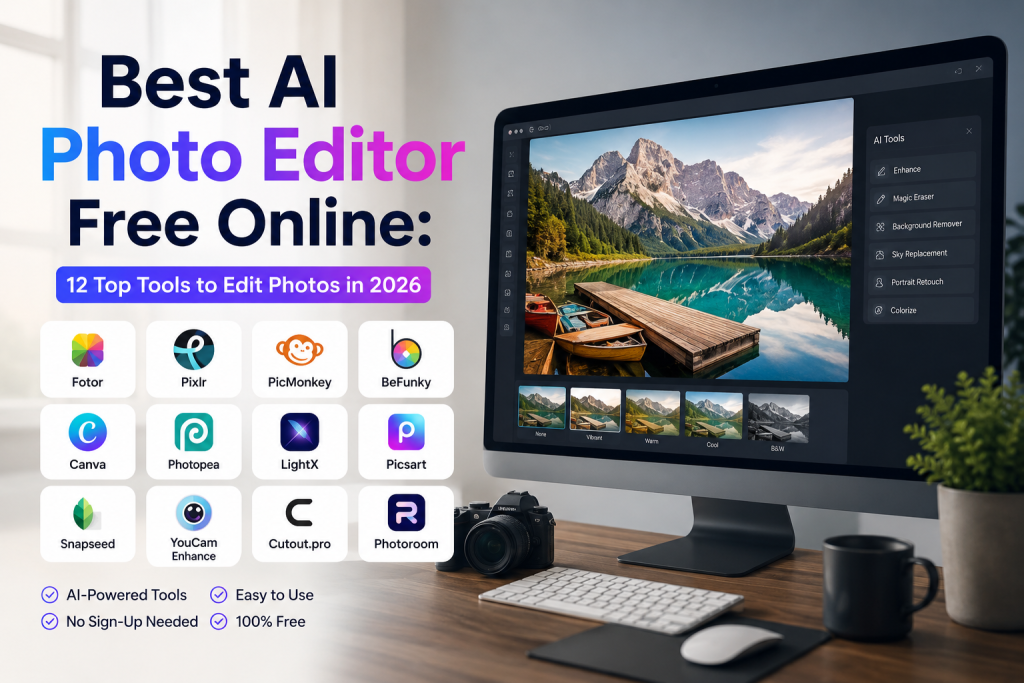
Best AI Photo Editor Free Online: 12 Top Tools to Edit Photos in 2026
Ever wished you could edit photos like a pro without learning Photoshop? Most of us want clean headshots, viral Instagram posts, and product shots that pop, but software is expensive and confusing. The good news is that AI photo editors do the hard work for you in seconds, and many of them are 100% free.
The best AI photo editor free online in 2026 includes Canva AI, Fotor AI, Picsart AI, Adobe Firefly, Pixlr, Photopea, Cleanup Pictures, Remove.bg, Pixelcut, Cutout.Pro, YouCam Online, and Fotor’s AI Image Generator. All these tools work directly in your browser, need no signup for basic edits, and let you remove backgrounds, enhance quality, and retouch faces for free.
This guide lists the top 12 free online AI photo editors, what each one does best, and step-by-step tips to use them. By the end, you will know exactly which tool to use for every kind of edit, from removing a background to fixing a blurry old photo.
What Is an AI Photo Editor?
An AI photo editor is a tool that uses artificial intelligence to edit photos automatically. Instead of moving sliders or learning layers in Photoshop, you upload a photo and click one button. The AI handles background removal, skin smoothing, color correction, and even object removal in seconds.
Most free AI photo editors work online in your web browser. You do not need to download software or sign up for an account for basic edits. Just open the website, upload your photo, pick what you want to change, and download the edited file.
How AI Photo Editors Are Different From Regular Editors
Regular photo editors like Photoshop or Lightroom give you full manual control. You move sliders, paint masks, and adjust every pixel by hand. It takes time and skill. AI editors skip the manual work and use machine learning to do the editing for you.
For example, removing a background by hand can take 10 to 20 minutes in Photoshop. An AI photo editor like Remove.bg does it in 5 seconds. The same goes for skin retouching, object removal, and image upscaling. AI editors trade some control for massive speed.
Why Free Online AI Editors Are So Popular
Most people only edit photos a few times a week. Paying $20 per month for Photoshop is overkill for that. Free online AI editors give you the same basic results without the cost or learning curve.
They also work on any device. Phone, tablet, laptop, or office PC, you just need a browser. No downloads, no installs, no storage hogged on your device. That flexibility is why millions of people now use online AI editors every day.
How to Choose the Best AI Photo Editor
Not every tool fits every task. Here is how to pick the right one for your needs.
Match the Tool to the Task
For background removal, Remove.bg and Cleanup Pictures are the fastest. For full design work, Canva AI and Pixlr cover more ground. For pro retouching, Adobe Firefly and Picsart AI lead the pack. For free unlimited use, Photopea and Pixelcut are tough to beat.
Check the Free Plan Limits
Most tools offer free use, but the limits differ. Canva AI gives you tons of features for free with optional Pro upgrades. Remove.bg limits free downloads to small sizes unless you pay. Adobe Firefly offers daily free credits, then asks for an upgrade. Always check what the free plan includes before you commit.
Look at the Learning Curve
Some AI editors are built for total beginners with one-click results. Others give you more control but take a few minutes to learn. Canva AI, Fotor, and Cleanup Pictures are the easiest. Photopea and Pixlr feel closer to Photoshop and take a bit more practice.
Test the Output Quality
A free AI editor is only worth using if the results look clean. Adobe Firefly and Picsart AI give the most realistic results. Free quick tools like Remove.bg and Cleanup Pictures handle simple jobs well but can struggle with complex photos. Always preview before downloading.
12 Best AI Photo Editors Free Online in 2026
Here are the top picks worth trying right now. Each one has a clear strength, so match the tool to your task.
1. Canva AI
Canva AI is the most popular free online photo editor in the world in 2026. It offers background removal, image enhancement, AI image generation, and a huge library of design templates. The free plan covers most casual edits. Best for social media posts, resumes, and quick designs.
2. Fotor AI
Fotor AI is a clean, beginner-friendly editor with AI photo enhancement, background change, object removal, and image upscaling. The free plan gives you daily credits for AI tools. Best for quick photo cleanups and casual creators who want polished results fast.
3. Picsart AI
Picsart AI is one of the most powerful free editors online. It offers AI background removal, AI image generation, photo retouching, and creative effects. The free web version is generous, with most tools available without payment. Best for Instagram creators and social media editors.
4. Adobe Firefly
Adobe Firefly is Adobe’s free AI image tool with text-to-image, generative fill, and object removal. It is trained on licensed images, which makes the output safe for business and commercial use. Free users get daily credits. Best for serious creators who want pro-grade AI editing.
5. Pixlr
Pixlr is one of the oldest online photo editors and still going strong in 2026. The free Pixlr E version feels like Photoshop in your browser, with AI tools added on top. You can edit layers, masks, and apply AI features for free. Best for users who want desktop-style editing without installs.
6. Photopea
Photopea is a 100% free Photoshop alternative that runs in your browser. It supports PSD files, layers, masks, and even some AI tools. There is no signup required, and most features work for free. Best for designers who need full Photoshop power without paying for it.
7. Cleanup Pictures
Cleanup Pictures is a simple AI tool that removes unwanted objects, people, or text from photos. You brush over what you want gone, and the AI fills the space naturally. Free users get standard quality, while paid users get HD downloads. Best for quick object removal in seconds.
8. Remove.bg
Remove.bg is the king of one-click background removal. Upload your photo, and the AI removes the background in 5 seconds. Free downloads are limited to small sizes. Best for portraits, product photos, and quick profile pictures.
9. Pixelcut
Pixelcut is a fast AI editor focused on ecommerce sellers and content creators. It handles background removal, photo enhancement, and AI product photography. The free plan covers most basic edits. Best for small business owners selling on Amazon, Etsy, or Shopify.
10. Cutout.Pro
Cutout.Pro offers 40+ AI tools in one place. You can remove backgrounds, enhance image quality, restore old photos, retouch faces, and more. The free plan gives daily credits. Best for users who want one tool to cover every kind of edit.
11. YouCam Online
YouCam Online is the web version of the popular YouCam Perfect app. It focuses on AI face retouching, skin smoothing, makeup, and selfie enhancement. Free users get most basic features. Best for selfie creators and beauty content makers.
12. VanceAI
VanceAI offers AI image upscaling, photo restoration, sharpening, and old photo colorization. The free plan gives you a few daily credits to test the tools. Best for restoring family photos, fixing blurry images, and upscaling low-resolution pictures.
Best Free AI Photo Editor for Background Removal
For removing backgrounds, the top picks are Remove.bg, Canva AI, and Cleanup Pictures. Remove.bg is the fastest, with one-click background removal in 5 seconds. Canva AI lets you remove and replace backgrounds in the same editor. Cleanup Pictures works well if the background has small unwanted objects you also want gone.
All three handle portraits, products, and animals well. For complex edges like hair or fur, Adobe Firefly and Picsart AI give cleaner results, though both have paid tiers for unlimited use. For a free quick fix, Remove.bg is still the easiest in 2026.
Best Free AI Photo Editor for Image Enhancement
To enhance image quality and fix blurry photos, the strongest free picks are VanceAI, Fotor, and Pixelcut. VanceAI specializes in upscaling and sharpening, with AI models trained for restoring old photos. Fotor offers one-click enhancement that brightens, sharpens, and balances colors automatically.
Pixelcut works well for ecommerce product photos that need a quick polish. All three give you a free preview, but paid plans unlock larger file sizes and unlimited use. For casual users, the free credits are usually enough for daily edits.
Best Free AI Photo Editor for Face Retouching
For face retouching, skin smoothing, and selfie editing, YouCam Online, Picsart AI, and Fotor are the best free picks. YouCam Online is built for selfies, with AI makeup, blemish removal, and eye enhancement. Picsart AI offers similar features with stronger creative effects.
Fotor handles skin smoothing, teeth whitening, and color correction in a beginner-friendly interface. All three are free for basic edits, with paid plans for advanced features and watermark removal. For most casual users, the free versions cover everything they need.
Best Free AI Photo Editor for Object Removal
To remove unwanted objects, people, or text from a photo, Cleanup Pictures, Picsart AI, and Adobe Firefly lead the way. Cleanup Pictures is the simplest, with a brush tool that removes anything you paint over. Picsart AI offers similar features with extra retouching options.
Adobe Firefly’s generative fill is the most powerful, since it can replace the removed area with realistic content rather than just blending it out. The free version of Firefly gives daily credits, which is enough for occasional object removal. For unlimited use, Cleanup Pictures is the better free pick.
Best Free AI Photo Editor for Old Photo Restoration
To restore old or damaged photos, VanceAI, Fotor, and Cutout.Pro are the strongest free options. VanceAI offers AI restoration that fixes scratches, tears, and fading. It can also colorize black and white photos. Fotor and Cutout.Pro offer similar features with different interfaces.
All three give free credits, with paid plans for unlimited restoration. For family photos and special memories, the free trials let you fix a few images at no cost. For larger projects, the paid plans are usually worth the investment.
Free vs Paid AI Photo Editors
Free editors cover most everyday tasks. Paid tools unlock unlimited use and pro features.
When Free Tools Are Enough
If you edit photos less than 10 times a week, free tools are more than enough. Canva AI, Fotor, Picsart, and Photopea give you everything you need for casual edits, social media posts, and small projects. For most users, the free plan is all they will ever need.
When Paid Plans Make Sense
If you edit photos daily for work, run an ecommerce store, or need HD downloads regularly, paid plans save time. Most paid AI photo editors cost between $5 and $20 per month. For pro creators and small businesses, that cost pays for itself in saved hours.
How to Edit Photos With Free Online AI Tools
The process is the same on most platforms. Open the website, upload your photo, pick the AI tool you want, click apply, and download. The whole thing takes under two minutes for most edits.
Step-by-Step Guide
First, choose your tool based on the task (background removal, enhancement, object removal, etc.). Second, upload your photo by dragging it into the upload area or clicking the upload button. Third, select the AI feature you want to use, like “Remove Background” or “Enhance Image.”
Fourth, let the AI process the photo. This usually takes 5 to 30 seconds. Fifth, preview the result. If it looks good, download. If not, tweak the settings or try a different tool. Most editors let you undo and redo edits freely.
Tips to Get the Best Results
Always upload high-quality photos. The cleaner the input, the better the AI output. Avoid photos with heavy filters, low resolution, or blurry subjects unless you are specifically trying to fix those issues. Test the same photo on two or three tools to see which gives the best result. Keep the original photo saved in case you want to redo the edit later.
Are Free AI Photo Editors Safe to Use?
Most trusted AI photo editors are safe, but you should still follow a few simple rules.
Stick to Well-Known Brands
Use trusted names like Canva, Adobe, Fotor, Picsart, Pixlr, and Photopea. Avoid random websites that pop up in ads or look sketchy. Trusted brands have clear privacy policies and delete uploaded files within an hour.
Avoid Uploading Sensitive Photos
For private photos like ID cards, family pictures, or sensitive documents, use offline tools or trusted brands with strong privacy policies. Adobe and Canva are both safe choices since they store data securely and follow global privacy rules.
Check the Privacy Policy
Most trusted AI photo editors delete your uploaded files within an hour. Always check the site’s privacy policy before uploading personal photos. If a tool does not have a clear policy, skip it and use a better-known option instead.
FAQs About Free Online AI Photo Editors
Which is the best free AI photo editor online?
Canva AI, Fotor, and Picsart AI are the best free AI photo editors online in 2026. Each one covers a wide range of edits without paid signup.
Can I edit photos with AI for free?
Yes. Tools like Canva AI, Fotor, Picsart AI, Photopea, and Adobe Firefly offer free AI photo editing online without any download.
How do I remove the background from a photo for free?
Use Remove.bg or Canva AI. Upload your photo, click “Remove Background,” and download the cleaned image in seconds.
Can AI fix blurry or low-quality photos?
Yes. VanceAI, Fotor, and Pixelcut all offer AI upscaling and sharpening to fix blurry photos for free.
Are free online AI photo editors safe?
Yes, when you use trusted brands like Canva, Adobe, Fotor, and Picsart. Avoid uploading sensitive photos to unknown websites.
Which AI photo editor works without signup?
Photopea, Remove.bg, and Cleanup Pictures all work without signup for basic edits.
Can I restore old photos with AI for free?
Yes. VanceAI, Fotor, and Cutout.Pro offer free AI photo restoration with daily credits.
Final Thoughts on the Best AI Photo Editor Free Online
Free AI photo editors in 2026 are better than the paid software of five years ago. Pick the tool that fits your task. Canva AI for design, Remove.bg for backgrounds, Cleanup Pictures for object removal, and VanceAI for old photos. Save your favorites as bookmarks, and you will never need expensive software again. Start with one tool today, edit one photo, and see the results for yourself.