Trending Song CapCut Template 2026 (15+ Viral Free Beat Sync Edits)
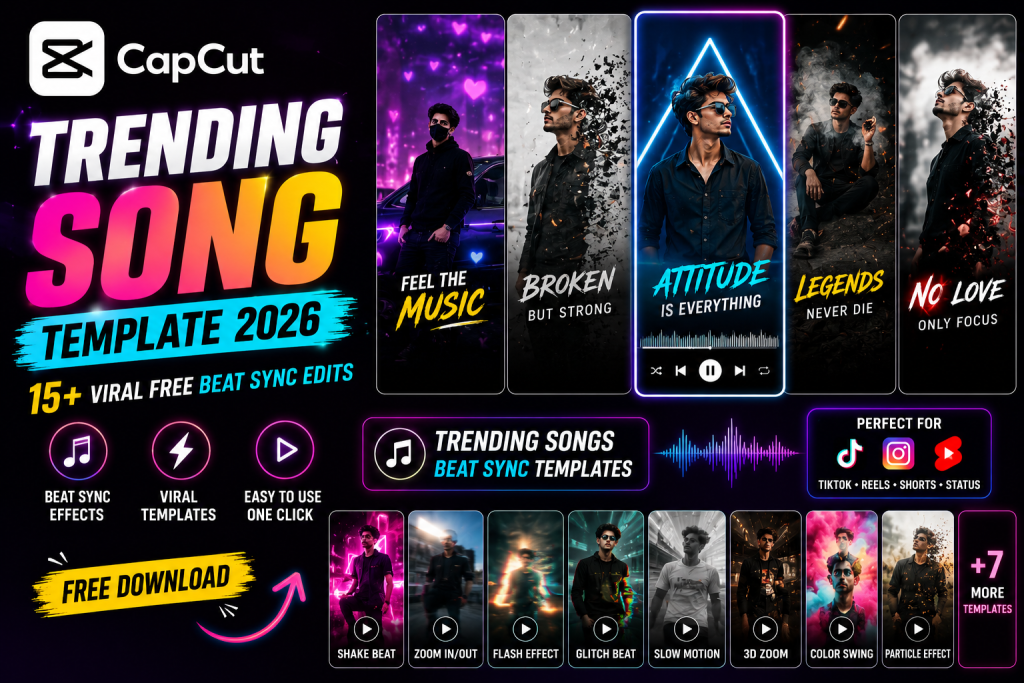
The right trending song can make any edit go viral. These trending song CapCut template options for 2026 sync your photos and clips perfectly to the hottest beats. This guide gives you more than fifteen search terms plus manual beat sync recipes so you can ride any trend. Pair these with my slow motion CapCut template and phonk CapCut template guides.
What Is TTrending Song CapCut Template 2026?
A trending song template builds your edit around a viral track, cutting clips, zooms, and effects precisely to the beat. Because the song is already trending, riding it gives your content a major reach boost. The template handles the timing, or you sync manually.
The secret is beat matching, every cut and effect landing on a beat, which is what makes these edits feel satisfying and professional.
Why It Trends and Ranks
Trending songs change constantly, so this is a high traffic, always fresh topic. A guide teaching the beat sync method (not just one song) stays useful as trends rotate, which helps it rank and keeps readers coming back.
How to Use a CapCut Template
CapCut templates are applied inside the app, not pasted as a code. The fastest way is to open CapCut, tap Templates, and search the exact name. To make it effortless, every box below gives you the precise search term plus the full manual recipe so you can either find the template or build the look yourself.
- Open the CapCut app and tap the Templates tab.
- Copy a search term from a box below and paste it into the template search.
- Pick a trending template, tap Use template, and add your clips or photos.
- Adjust the text and music, then export. To export clean, see my remove CapCut watermark guide.
- Prefer full control? Follow the manual recipe in the box to build the same effect yourself.
15+ Template Search Terms and Settings (Copy Paste)
Tap Copy on any box. Use the search term to find the trending template, or follow the recipe to recreate it manually. No fake codes, just what actually works inside CapCut.
1. Beat Sync Master Recipe
The core method to sync any clip to any song.
Beat Sync Master Recipe
SEARCH IN CAPCUT: beat sync template trending 2026

MANUAL RECIPE:
1. Add the trending song.
2. Tap the track, choose Beats, auto detect or tap manually.
3. Place a cut or effect on each beat marker.
4. Add zoom or shake on the strongest beats.
5. Export and check the sync.
2. Slow Motion Song
A dreamy slow edit to a soft track.
Slow Motion Song
SEARCH IN CAPCUT: slow motion song template

MANUAL RECIPE:
1. Add a calm trending song.
2. Slow your clips with Speed Curve, Smooth on.
3. Sync the slowest point to the vocal.
4. Warm soft grade.
5. Keep it gentle. See my slow motion guide.
3. Phonk Beat Edit
Hard attitude edit to a phonk track.
Phonk Beat Edit
SEARCH IN CAPCUT: phonk song template trending

MANUAL RECIPE:
1. Add a phonk track.
2. Fast beat synced cuts and shake.
3. Dark moody grade.
4. Slow on the heaviest drop.
5. See my phonk template guide.
4. Punjabi Trending Song
A vibrant Punjabi beat edit.
Punjabi Trending Song
SEARCH IN CAPCUT: punjabi song template trending

MANUAL RECIPE:
1. Add a trending Punjabi track.
2. Energetic beat synced zooms.
3. Vibrant grade.
4. Add bold text.
5. Sync to the dhol or beat.
5. Lofi Aesthetic Song
A soft lofi aesthetic edit.
Lofi Aesthetic Song
SEARCH IN CAPCUT: lofi song template aesthetic

MANUAL RECIPE:
1. Add a lofi track.
2. Gentle slow cuts and fades.
3. Warm faded grade and grain.
4. Minimal text.
5. Keep it calm and dreamy.
6. Sad Song Status
An emotional status to a sad track.
Sad Song Status
SEARCH IN CAPCUT: sad song status template

MANUAL RECIPE:
1. Add a slow emotional song.
2. Cool muted grade, slow fades.
3. Add lyric text on the beat.
4. Add a rain overlay.
5. Sync fades to the vocal.
7. Love Song Couple
A romantic couple beat edit.
Love Song Couple
SEARCH IN CAPCUT: love song couple template

MANUAL RECIPE:
1. Add a romantic song.
2. Soft zoom on couple clips.
3. Warm grade and hearts overlay.
4. Sync sweet moments to the vocal.
5. Keep transitions smooth.
8. Attitude Boys Song
A hard attitude boys edit.
Attitude Boys Song
SEARCH IN CAPCUT: attitude boys song template

MANUAL RECIPE:
1. Add a hard trending track.
2. Fast cuts, shake, dark grade.
3. Slow on the drop.
4. Add a name title.
5. Sync to the strongest beat.
9. Bollywood Trending
A vibrant Bollywood song edit.
Bollywood Trending
SEARCH IN CAPCUT: bollywood song template trending

MANUAL RECIPE:
1. Add a trending Bollywood track.
2. Beat synced zooms and transitions.
3. Warm vibrant grade.
4. Add stylish text.
5. Sync to the hook.
10. Remix DJ Edit
An energetic remix beat edit.
Remix DJ Edit
SEARCH IN CAPCUT: remix dj song template

MANUAL RECIPE:
1. Add a trending remix or DJ track.
2. Fast beat synced cuts and flashes.
3. Vibrant or neon grade.
4. Shake on the drop.
5. Keep energy high.
11. English Trending Song
A modern English track edit.
English Trending Song
SEARCH IN CAPCUT: english song template trending

MANUAL RECIPE:
1. Add a viral English track.
2. Beat synced cuts and zooms.
3. Clean modern grade.
4. Add minimal text.
5. Sync to the hook.
12. Status Video Song
A short song status clip.
Status Video Song
SEARCH IN CAPCUT: song status video template

MANUAL RECIPE:
1. Keep under 30 seconds.
2. Add lyric text synced to the beat.
3. One or two clips with a grade.
4. Add a subtle effect.
5. Use the trending hook.
13. Dance Trend Song
A beat matched dance edit.
Dance Trend Song
SEARCH IN CAPCUT: dance song template trending

MANUAL RECIPE:
1. Add a dance trend track.
2. Cut on each move and beat.
3. Add glow and energy.
4. Slow on the key hit.
5. Keep it tight.
14. Aesthetic Trending Song
A soft aesthetic song edit.
Aesthetic Trending Song
SEARCH IN CAPCUT: aesthetic song template

MANUAL RECIPE:
1. Add a soft trending song.
2. Gentle zoom and fades.
3. Warm pastel grade and glow.
4. Minimal elegant text.
5. Sync to the vocal.
15. Cinematic Song Pro
A premium film style song edit.
Cinematic Song Pro
SEARCH IN CAPCUT: cinematic song template pro

MANUAL RECIPE:
1. Add a cinematic trending track.
2. Teal and orange grade plus grain.
3. Smooth ramps, letterbox bars.
4. Beat synced key moments.
5. Export 4K, high bitrate.
Tips for the Best Result
Always detect the beats first using the Beats tool, then place every cut and effect on a marker. Use the currently trending sound for maximum reach. Keep reels tight and sync the biggest moment to the drop. Refresh your sounds weekly as trends change.
Make It Yours
Match the song to your content, phonk for attitude, lofi for aesthetic, love songs for couples. Pair with a warm cinematic Lightroom preset or moody dark Lightroom preset grade. For attitude drops, add the Alight Motion shake preset.
Turn It Into a Viral Reel
Riding a trending sound is one of the fastest ways to go viral. Use the freshest track, sync tightly, and post while the trend is hot. For more on trending video edits and music sync, see my trending AI video editing guide.
How to Spot a Rising Sound Early
The biggest reach comes from catching a sound while it is still climbing, not after it peaks. Check the trending audio sections in CapCut and Instagram regularly, and watch which sounds keep appearing in your feed from smaller creators, since that early spread signals a sound about to blow up. Save promising sounds immediately so you can act fast. Jumping on a track in its first days of momentum, before everyone else, gives your edit a far better chance of riding the wave. Timing your post to a rising sound is one of the most reliable growth tactics on short form video.
The Beat Sync Habit That Changes Everything
Once you internalise beat syncing, every edit improves. Make it a habit to detect the beats before you do anything else, then build the entire edit around those markers, cuts, zooms, text, and effects all landing on beats. The human brain finds beat matched motion deeply satisfying, which is why these edits get rewatched and saved. Practise tapping beats manually for tricky songs where auto detection misses, since precise timing on the strong beats matters most. This single habit, applied to any song, is what makes content feel professionally produced rather than randomly cut.
Refreshing Your Content as Trends Rotate
Trending sounds rotate weekly, so treat your audio as something to refresh constantly rather than set and forget. Keep a running list of rising tracks, and when a new one takes off, adapt your proven edit styles to it quickly. Because you already know the beat sync method, swapping in a fresh sound takes minutes. Pair the trending audio with a consistent visual grade using my warm cinematic Lightroom preset or moody dark Lightroom preset preset so your edits stay recognisably yours even as the music changes. This balance of fresh sound and consistent style is what keeps a page both trendy and identifiable.
Matching Visual Energy to the Song
The best song edits match their visual energy to the music. A hard, fast track wants quick cuts, shake, and high energy footage, while a soft, emotional song wants slow motion, gentle fades, and a calm grade. Mismatching the two, fast cuts on a slow ballad, or a calm edit on an aggressive beat, instantly feels off. Listen to the song first and let its mood dictate your pacing, transitions, and grade. When the visuals breathe with the music, the edit feels professionally produced and emotionally satisfying, which is what makes viewers rewatch and save it.
Building a Library of Go To Edits
The creators who keep up with fast moving sound trends have a personal library of go to edit styles ready to deploy. Once you nail a velocity edit, a photo beat sync, and a clean transition, you can apply any of them to a new trending sound in minutes. Save your favourite project setups so you are never starting from scratch. This preparation lets you act the moment a sound takes off, while it still has reach potential. Speed matters in trend chasing, and a ready library of proven edit styles is your biggest advantage over slower creators.
Acting Fast When a Sound Breaks
Speed is the deciding factor in trend chasing. When a sound starts breaking out, the window to ride it at peak reach is often just days. Keep your editing skills sharp and your project setups ready so you can turn around a polished edit quickly. The creators who consistently catch trends are not necessarily the most skilled, they are the fastest to act on a rising sound with a clean, well synced edit. Build the habit of checking trending audio daily, and when something takes off, move immediately. That responsiveness, paired with your beat sync skills, is what compounds into steady growth.
Frequently Asked Questions (FAQ)
Are these song templates free?
Yes. The search terms find free templates, and the manual beat sync recipes are free to build yourself.
How do I find trending songs?
Check the CapCut and Instagram trending audio sections. Use a sound that is currently rising for the best reach.
How do I sync clips to the beat?
Use the Beats tool to detect or tap beat markers, then place every cut and effect on a marker.
Can I change the song in a template?
Yes. Replace the template audio with any trending song and re sync your cuts to the new beat.
Which song style is most viral?
It changes weekly. Phonk, remix, and trending Bollywood or Punjabi tracks are consistently strong.
How do I export clean?
Follow my remove CapCut watermark guide for a professional, logo free export.
Final Thoughts
Riding a trending song is one of the most reliable ways to go viral, and these fifteen plus recipes teach you to sync any clip to any beat. Save this page, refresh your sounds weekly, and post while the trend is hot. For more, see my slow motion CapCut template and phonk CapCut template guides at Editing By Vikas.