Before After CapCut Template 2026 (15+ Trending Free Transition Edits)
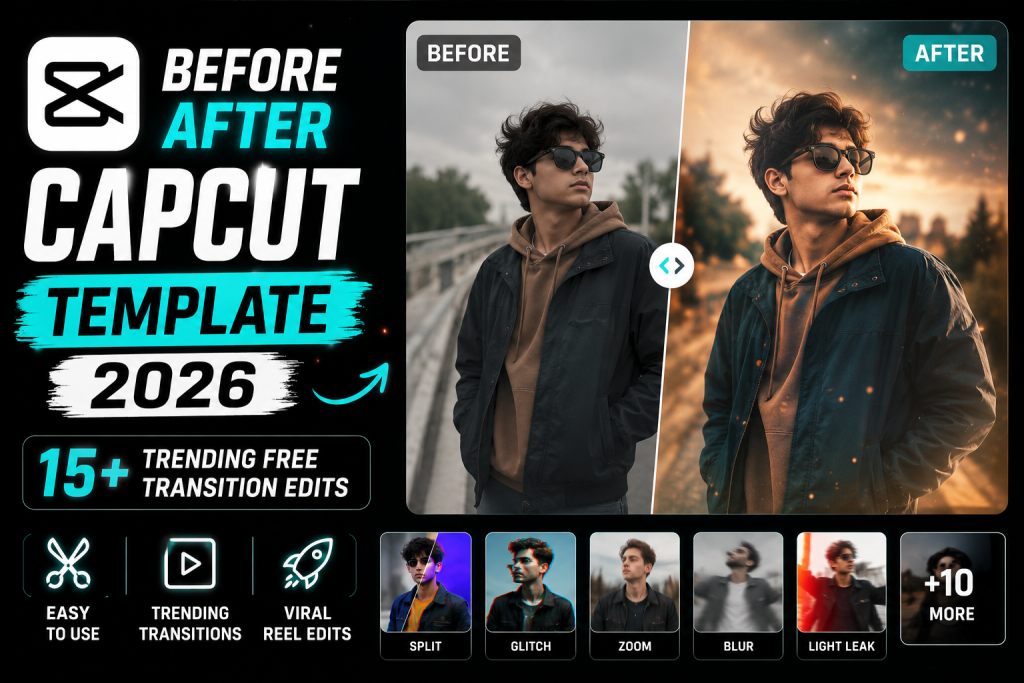
The before and after reveal is one of the most satisfying, viral formats. These before after CapCut template options for 2026 create smooth transformation transitions for glow ups, gym progress, edits, and makeovers. This guide gives you more than fifteen search terms plus manual transition recipes. Pair these with my slow motion CapCut template guide.
What Is Before After CapCut Template?
A before and after template reveals a transformation with a satisfying transition, a swipe, a flash, a snap, or a clap, switching from the before clip to the after on the beat. It works for fitness, beauty, room makeovers, photo edits, and any glow up.
The key is a clean, well timed transition that lands exactly on a beat, making the reveal feel powerful and shareable.
Why It Trends and Ranks
Before and after content is endlessly popular because transformations are inherently satisfying to watch. It is a high engagement, broad appeal format, and a detailed guide with multiple transition styles ranks well and stays useful.
How to Use a CapCut Template
CapCut templates are applied inside the app, not pasted as a code. The fastest way is to open CapCut, tap Templates, and search the exact name. To make it effortless, every box below gives you the precise search term plus the full manual recipe so you can either find the template or build the look yourself.
- Open the CapCut app and tap the Templates tab.
- Copy a search term from a box below and paste it into the template search.
- Pick a trending template, tap Use template, and add your clips or photos.
- Adjust the text and music, then export. To export clean, see my remove CapCut watermark guide.
- Prefer full control? Follow the manual recipe in the box to build the same effect yourself.
15+ Template Search Terms and Settings (Copy Paste)
Tap Copy on any box. Use the search term to find the trending template, or follow the recipe to recreate it manually. No fake codes, just what actually works inside CapCut.
1. Swipe Reveal Transition
The classic swipe from before to after.
Swipe Reveal Transition
SEARCH IN CAPCUT: before after swipe template

MANUAL RECIPE:
1. Add the before clip, then the after.
2. Add a swipe transition between them.
3. Place the swipe exactly on a beat.
4. Add before and after text labels.
5. Use a satisfying trending song.
2. Snap Finger Transition
Reveal on a finger snap.
Snap Finger Transition
SEARCH IN CAPCUT: snap transition before after

MANUAL RECIPE:
1. Add a snap clip, then before and after.
2. Cut to the after exactly on the snap sound.
3. Add a flash frame on the snap.
4. Add labels.
5. Sync to the audio.
3. Glow Up Transition
A beauty or style glow up reveal.
Glow Up Transition
SEARCH IN CAPCUT: glow up transition template

MANUAL RECIPE:
1. Add the before, then the glow up after.
2. Flash or zoom transition on the beat.
3. Brighten and grade the after.
4. Add glow up text.
5. Use an uplifting song.
4. Gym Progress Transition
A fitness before and after.
Gym Progress Transition
SEARCH IN CAPCUT: gym before after template

MANUAL RECIPE:
1. Add the before physique, then after.
2. Swipe or flash on the beat.
3. Contrast and sharpen the after.
4. Add labels and dates.
5. Use a motivational track.
5. Clap Transition
Reveal on a clap.
Clap Transition
SEARCH IN CAPCUT: clap transition before after

MANUAL RECIPE:
1. Add a clap clip, then before and after.
2. Cut on the clap sound.
3. Add a shake on the clap.
4. Add labels.
5. Sync tightly.
6. Photo Edit Before After
Show a photo edit transformation.
Photo Edit Before After
SEARCH IN CAPCUT: photo edit before after template

MANUAL RECIPE:
1. Add the raw photo, then the edited one.
2. Swipe or flash on the beat.
3. Add before and after labels.
4. Keep timing tight.
5. Use a satisfying song.
7. Room Makeover Transition
A space makeover reveal.
Room Makeover Transition
SEARCH IN CAPCUT: room makeover transition

MANUAL RECIPE:
1. Add the before room, then after.
2. Spin or swipe transition on the beat.
3. Brighten the after.
4. Add makeover text.
5. Use an upbeat song.
8. Hair Transformation
A hairstyle before and after.
Hair Transformation
SEARCH IN CAPCUT: hair transformation template

MANUAL RECIPE:
1. Add the before hair, then after.
2. Flip or hair flip transition on the beat.
3. Brighten and grade the after.
4. Add labels.
5. Use a trendy song.
9. Outfit Change Transition
A quick outfit swap reveal.
Outfit Change Transition
SEARCH IN CAPCUT: outfit change transition

MANUAL RECIPE:
1. Add the first outfit, then the second.
2. Spin or jump cut on the beat.
3. Match the framing for a clean swap.
4. Add a flash.
5. Sync to the drop.
10. Car Mod Transition
A vehicle before and after.
Car Mod Transition
SEARCH IN CAPCUT: car before after template

MANUAL RECIPE:
1. Add the stock car, then modified.
2. Swipe or zoom on the beat.
3. Boost clarity on the after.
4. Add labels.
5. Use an energetic track.
11. Weight Loss Transition
A weight loss journey reveal.
Weight Loss Transition
SEARCH IN CAPCUT: weight loss before after template

MANUAL RECIPE:
1. Add the before, then after.
2. Swipe on the beat.
3. Add dates and labels.
4. Clean grade.
5. Use a motivational song.
12. Makeup Transition
A makeup before and after.
Makeup Transition
SEARCH IN CAPCUT: makeup transition template

MANUAL RECIPE:
1. Add the bare face, then the makeup look.
2. Brush swipe or flash on the beat.
3. Brighten the after.
4. Add labels.
5. Use a trendy song.
13. Drawing Art Transition
A sketch to finished art reveal.
Drawing Art Transition
SEARCH IN CAPCUT: drawing before after template

MANUAL RECIPE:
1. Add the sketch, then the final art.
2. Swipe or fade on the beat.
3. Add labels.
4. Keep framing consistent.
5. Use a satisfying song.
14. Zoom Punch Transition
A punchy zoom reveal.
Zoom Punch Transition
SEARCH IN CAPCUT: zoom transition before after

MANUAL RECIPE:
1. Add before, then after.
2. Quick zoom in and out on the beat to switch.
3. Add a flash frame.
4. Add labels.
5. Sync to the drop.
15. Cinematic Reveal Pro
A premium dramatic transformation.
Cinematic Reveal Pro
SEARCH IN CAPCUT: cinematic before after pro

MANUAL RECIPE:
1. Add before, then after.
2. Smooth cinematic transition on the beat.
3. Teal and orange grade plus grain.
4. Add elegant labels and letterbox.
5. Export 4K, high bitrate.
Tips for the Best Result
The transition must land exactly on a beat to feel satisfying, so detect the beats first. Keep the before and after framing similar for a clean swap, and label them clearly. Brighten or enhance the after so the improvement reads instantly.
Make It Yours
Match the transition to your content, swipe for physique, snap for glow ups, spin for outfits. Pair with a warm cinematic Lightroom preset grade. For sharp before and after photos, enhance them with my AI photo editing prompts hub.
Turn It Into a Viral Reel
Before and after reveals are one of the most satisfying viral formats. Keep the transition tight, the labels clear, and the reveal on the beat. For more on trending video edits, see my trending AI video editing guide, and export clean with my remove CapCut watermark guide.
Framing the Two Shots to Match
The cleanest before and after reveals share near identical framing, so the transformation reads instantly without the eye getting distracted by a shifted angle. When you capture both shots, keep the camera position, distance, and angle as consistent as possible. If the framing matches, even a simple cut feels powerful because only the subject appears to change. For transformations photographed over time, mark your filming spot so future shots line up. This attention to matched framing is the quiet secret behind every satisfying before and after, and it costs nothing but a little planning.
Timing the Reveal for Maximum Impact
The reveal moment is everything, so it must land on a strong beat or an audio cue like a snap or clap. Detect the beats first, then place the transition exactly on the chosen beat so the switch feels deliberate and satisfying. Hold the before shot just long enough to register, build a touch of anticipation, then hit the after on the beat. Adding a quick flash frame or a subtle shake on the transition emphasises the moment. This precise timing transforms a simple swap into a genuinely satisfying reveal that viewers replay and share.
Labelling and Enhancing the After
Clear labels help viewers instantly understand the transformation, so add simple before and after text, and dates for progress journeys. Make sure the after shot is enhanced to look its best, brighter, sharper, better graded, so the improvement is obvious at a glance. For photo based reveals, enhance the after image first with the AI prompts in my AI photo editing prompts hub for a clean, sharp result that stands out against the before. A clearly labelled, well enhanced reveal removes any confusion and makes the transformation land with full impact, which is what drives the saves and shares this format is known for.
Choosing Transformations Worth Watching
The strongest before and after edits show a transformation that genuinely surprises or satisfies. Dramatic changes, a clear glow up, a striking edit, a real fitness journey, hold attention because the payoff is worth the wait. A subtle or unclear change leaves viewers underwhelmed. Choose your most impactful transformations, and if the change is gradual, consider showing intermediate steps to build the journey. The before should set up a clear expectation that the after dramatically pays off. When the transformation itself is compelling, even a simple edit performs, because the content does the heavy lifting.
Hooking Viewers in the First Second
Before and after reels live on retention, and the first second decides everything. Open on the before shot with a clear hook, a caption like watch this transformation, or start mid action so viewers stay to see the result. Promise the payoff immediately so no one scrolls past before the reveal. Keep the build up short, since dragging the before section loses impatient viewers. The entire format depends on viewers staying until the reveal, so a strong opening hook and a tight build are what turn a before and after into a viral, highly saved piece of content.
Turning One Transformation Into a Series
A single before and after is good, but a series compounds. If you are documenting a journey, fitness, skincare, a build, an art skill, save your progress shots over time and release periodic updates. Each new before and after builds on the story, and returning viewers stay invested in your progress. A consistent format and framing across the series makes the whole journey satisfying to follow. This serial approach turns a one off satisfying clip into ongoing content that keeps an audience coming back for the next reveal, which is far more powerful for growth than isolated posts.
Frequently Asked Questions (FAQ)
Are these before after templates free?
Yes. The search terms find free templates, and the manual recipes are free to build yourself.
How do I make the transition smooth?
Keep the before and after framing similar, detect the beats, and place the transition exactly on a beat.
Which transition is most popular?
The swipe, snap, and zoom transitions are the most satisfying and widely used.
Can I use it for gym progress?
Yes. The gym progress and weight loss recipes are ideal for fitness transformations with labels and dates.
How do I get sharp before and after photos?
Enhance your photos with the AI prompts in my hub, then use the photo edit before after recipe.
How do I export clean?
Follow my remove CapCut watermark guide for a professional, logo free export.
Final Thoughts
The before and after reveal is endlessly satisfying and easy to make, and these fifteen plus templates and recipes cover every transformation. Save this page, time the transition to the beat, and label it clearly. For more, see my slow motion CapCut template guide and the full library at Editing By Vikas.