AI Photo Editing Prompts: 25+ Best Free Prompts for ChatGPT & Gemini (2026)
Phone se khinchi gayi photo dekhne me flat lagti hai, lekin Instagram par logon ki photos kisi movie poster jaisi lagti hain. Farak sirf editing ka hota hai. Aur ab editing ke liye aapko Photoshop seekhne ki zarurat nahi, bas ek sahi AI photo editing prompt chahiye.
AI photo editing prompts short written instructions hote hain jo aap ChatGPT, Google Gemini, ya Midjourney jaise AI tools ko dete ho apni photo edit karne ke liye. Aap apni photo upload karte ho, prompt paste karte ho, aur AI sirf 30 second me ek perfect edited photo bana deta hai. Na koi software, na koi editing skill chahiye.
Is guide me aapko ready-to-copy AI photo editing prompts milenge, best AI tools ki list, aur khud ke prompts likhne ke aasan tips. Chaliye shuru karte hain.
What Are AI Photo Editing Prompts?
AI photo editing prompts written commands hote hain jo AI tool ko batate hain ki aapki photo ko kaise change karna hai. Inhe aap ek recipe ki tarah samajh sakte ho. Aap AI ko ek photo aur ek recipe dete ho, aur wo aapke liye ek nayi version bana deta hai.
For example, aap AI se keh sakte ho background remove karo, cinematic lighting add karo, ya outfit ko black suit me badlo. AI aapke words padhta hai aur changes apply karta hai. Free tools ke liye humara best AI photo editor free online guide bhi padho.
Text-to-Image vs Image-to-Image Editing
Do main types hote hain. Text-to-image ka matlab hai aap scratch se ek photo describe karte ho. Image-to-image editing ka matlab hai aap apni real photo upload karke usko edit karwate ho. Personal photos ke liye log zyada image-to-image use karte hain.
The 5 Parts of a Working Prompt
Har acche prompt me 5 parts hote hain. Subject (aap, product, pet), style (cinematic, anime, vintage), lighting (golden hour, studio, night flash), action (background remove, bokeh add, blur fix), aur quality (HD, 4K, aspect ratio). In paanchon ko mila do aur AI ko bilkul samajh aa jata hai ki kya karna hai.
Best AI Tools for Photo Editing Prompts
ChatGPT prompts likhne aur test karne ke liye best hai. Google Gemini face matching me sabse aage hai, isliye agar aap apna real face same rakhna chahte ho to Gemini use karo. Midjourney sabse beautiful cinematic photos banata hai. Canva AI beginners ke liye sabse aasan hai. Adobe Firefly professional aur commercial-safe edits ke liye best hai.
Best AI Photo Editing Prompts to Copy
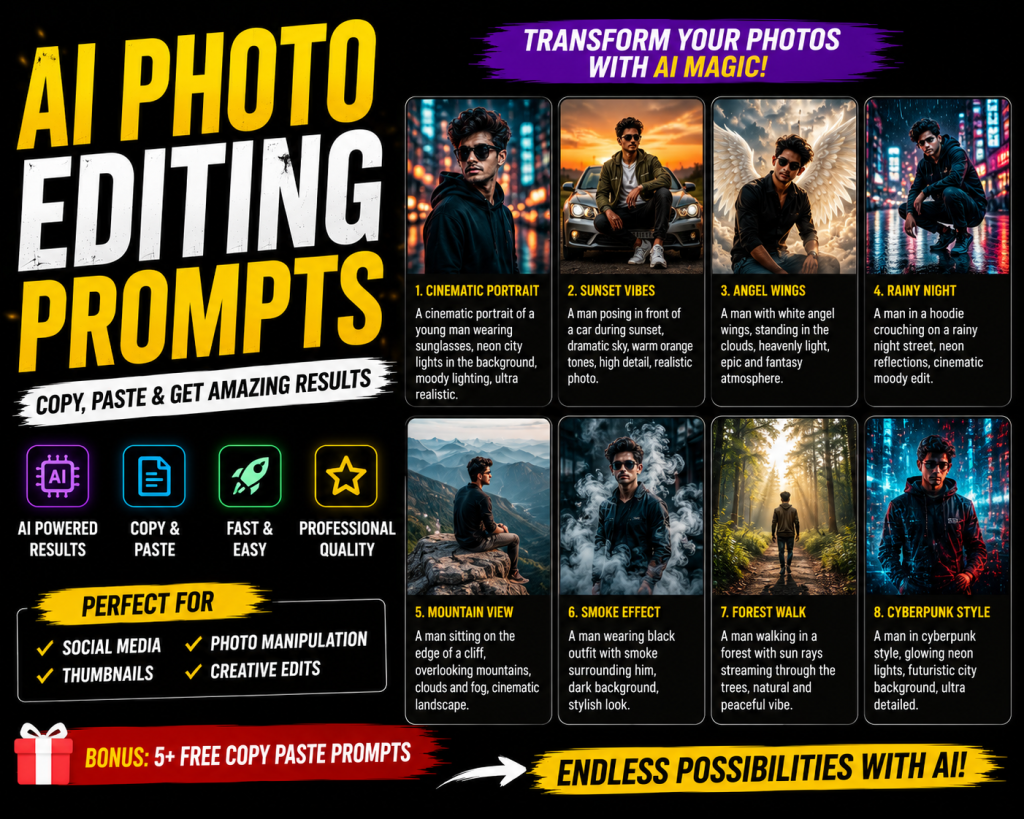
Yahan kuch sabse popular AI photo editing prompts hain jinhe aap abhi copy kar sakte ho. Inhe ChatGPT ya Gemini me apni photo ke saath paste karo.
Professional Headshot Prompt
Create a professional studio headshot from my uploaded photo. Use a soft white background, gentle studio lighting, and sharp focus on the face. Keep the original face 100% match. Add subtle skin smoothing, fix any blur, and make the eyes look clear. Output in 4K quality, 4:5 aspect ratio.Cinematic Portrait Prompt
Turn my uploaded photo into a cinematic portrait. Add warm golden hour lighting from the side, soft bokeh in the background, and shallow depth of field. Keep my face, hairstyle, and outfit exactly the same. Apply rich color grading with teal shadows and orange highlights. Render in 8K, ultra-realistic, 4:5 ratio.Background Removal Prompt
Remove the background from my uploaded photo. Replace it with a plain white studio background. Keep the subject sharp and the edges clean. Do not change the subject's face, clothes, or pose. Output in HD, ready for ecommerce or social media use.Anime Style Prompt
Convert my uploaded photo into an anime art look. Use bold outlines, soft shading, and clean colors like modern Japanese anime. Keep my facial features, hair, and outfit recognizable. Add a soft pastel background. Output in 4:5 aspect ratio, HD quality.Outfit Change Prompt
Change the outfit in my uploaded photo to a black formal suit with a white shirt. Keep my face, hair, pose, and background exactly the same. Make the fabric folds look natural and the fit look tailored. Output in HD, realistic photo quality.How to Write AI Photo Editing Prompts That Work
Pehle subject batao. Phir style choose karo. Lighting set karo. Actions list karo (remove background, add bokeh, fix blur). Aur last me “keep the original face 100% match” aur quality (HD, 4K) add karo. In paanch steps ko ek paragraph me likho aur aapka prompt ready hai. ChatGPT aur Gemini me prompt 100 words se kam rakho, warna AI confuse hota hai.
Tips for Better AI Photo Edits
Hamesha high quality aur clear face wali photo use karo. Side ya back pose wali photo achhe result nahi deti. Agar face change ho jaye to “Keep My Face 100% Match” prompt ke last me likho aur 2-3 baar try karo. Alag alag prompts use karo, ek hi prompt baar baar mat use karo. Dramatic edits ke liye humara AI CB editing PNG guide bhi dekho.
Frequently Asked Questions
What are AI photo editing prompts?
They are short written instructions you give to AI tools to edit your photos. You upload an image, type the prompt, and the AI does the editing.
Which AI tool is best for photo editing prompts?
ChatGPT and Gemini are best for free use. Midjourney is best for stunning visuals. Adobe Firefly is best for professional work.
Can AI keep my face the same in edited photos?
Yes. Add “keep the original face 100% match” at the end of your prompt. Google Gemini is the best at face matching in 2026.
Are AI photo editing prompts free?
Many are. ChatGPT, Gemini, and Canva AI give free daily credits. For unlimited use you need a paid plan.
How do I write a good AI photo editing prompt?
Include five parts: subject, style, lighting, action, and quality. Keep it under 100 words and add a face-match line for personal photos.
Final Thoughts
AI photo editing prompts pro-level photos banane ka sabse aasan tarika hain. Upar diye gaye prompt ko copy karo, ChatGPT ya Gemini me apni photo ke saath paste karo, aur result download karo. Jo prompts aapke liye kaam karein unhe save karo aur apni khud ki prompt library banao. Jitni practice karoge, utne behtar results milenge.