Sad Boy AI Photo Editing Prompt 2026 (10+ Free Copy Paste)
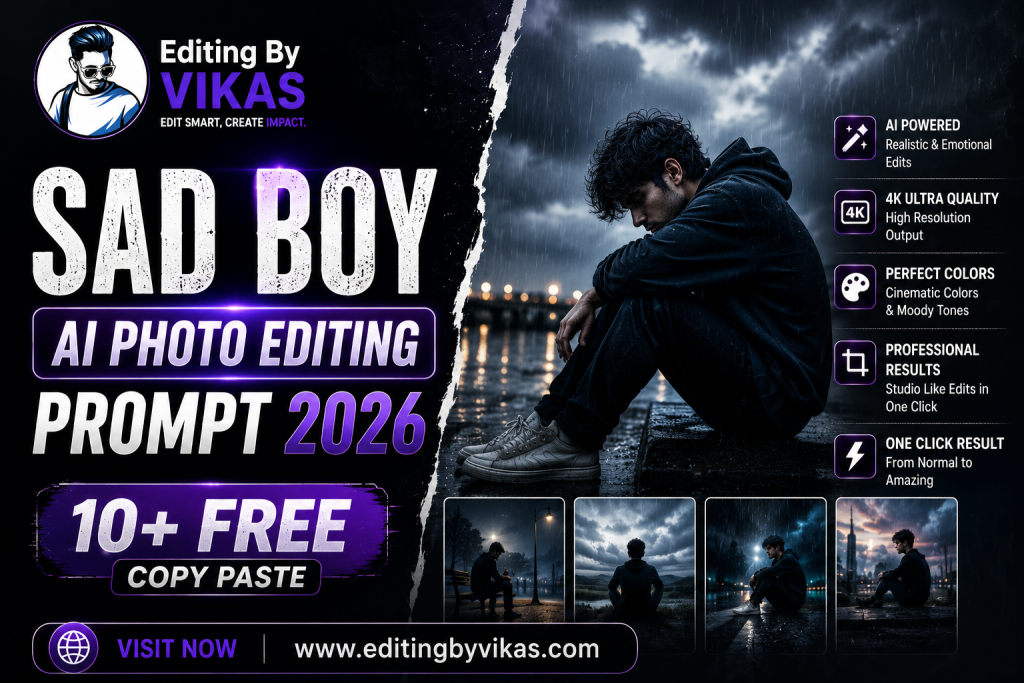
The moody boy aesthetic is huge in 2026, and these sad boy AI photo editing prompts capture that deep, cinematic, emotional vibe in a striking portrait. Below are more than ten copy paste prompts in one tap copy boxes, designed to add dramatic shadows, rain, and a reflective mood while keeping your face natural. These pair well with the moody dark Lightroom preset and the black background prompts for a complete moody aesthetic.
What Is the Sad Boy Aesthetic?
The sad boy aesthetic is a moody, cinematic photo style built on dramatic shadows, cool tones, rain, and a reflective expression. It is popular for emotional reels and aesthetic feeds. These prompts create that atmospheric mood as an art style, keeping your face natural while delivering a deep, cinematic portrait.
1. Moody Shadow Portrait Prompt
Dramatic shadows and a reflective mood.
Moody Shadow Portrait Prompt
Edit this photo into a moody sad boy portrait. Keep the same face, outfit and pose. Add dramatic directional lighting with deep shadows, cool muted tones, a reflective mood, realistic skin texture, and a cinematic feel. Ultra sharp 4K, premium finish.
2. Rain Street Prompt
A solitary figure in soft rain.
Rain Street Prompt
Edit this photo into a rainy sad boy street portrait. Keep the same face and outfit. Add soft rain, a wet reflective street with cool tones and warm light accents, gentle haze, a reflective mood, and natural skin. Cinematic finish, high resolution.
3. Black and White Mood Prompt
A timeless monochrome moody portrait.
Black and White Mood Prompt
Edit this photo into a black and white sad boy portrait. Keep the same face and pose. Add dramatic lighting, deep blacks, fine grain, a serious reflective mood, and realistic skin texture. Timeless premium finish, ultra sharp 4K.
4. Night Window Prompt
Pensive by a city window at night.
Night Window Prompt
Edit this photo into a night window sad boy portrait. Keep the same face and pose. Add soft city lights through a window, cool tones, gentle reflections, a reflective mood, and natural skin. Cinematic finish, high resolution.
5. Hoodie Cool Prompt
A laid back hoodie moody look.
Hoodie Cool Prompt
Edit this photo into a moody hoodie sad boy portrait. Keep the same face, hoodie and pose. Add soft directional light, cool muted tones, gentle shadows, a calm reflective mood, and realistic skin. Premium cinematic finish, ultra sharp 4K.
6. Neon Alley Prompt
Cool neon glow in a dark alley.
Neon Alley Prompt
Edit this photo into a neon alley sad boy portrait. Keep the same face and outfit. Add cool neon glow in a dark alley, gentle haze, deep shadows, a moody reflective feel, and natural skin. Ultra sharp 4K, cinematic grade.
7. Faded Film Prompt
A washed out emotional film look.
Faded Film Prompt
Edit this photo into a faded film sad boy portrait. Keep the same face and pose. Add faded muted tones, soft grain, a gentle hazy glow, a nostalgic reflective mood, and natural skin. Soft cinematic finish, high resolution.
8. Rooftop Solitude Prompt
Alone on a rooftop at dusk.
Rooftop Solitude Prompt
Edit this photo into a rooftop solitude sad boy portrait. Keep the same face and pose. Add a city view at dusk, cool and warm muted tones, gentle wind, a reflective mood, and natural skin. Cinematic depth, high resolution.
9. Cinematic Cool Tone Prompt
A premium cool toned film grade.
Cinematic Cool Tone Prompt
Edit this photo into a cinematic sad boy portrait. Keep the same face and pose. Add a cool teal and grey film grade with subtle warm highlights, soft contrast, dramatic light, a reflective mood, and realistic skin. Movie like premium finish, ultra sharp 4K.
10. Smoke and Shadow Prompt
Atmospheric smoke and deep shadow.
Smoke and Shadow Prompt
Edit this photo into an atmospheric sad boy portrait. Keep the same face and pose. Add subtle drifting smoke, deep dramatic shadows, cool tones, a moody intense feel, and realistic skin. Ultra sharp 4K, premium cinematic finish.
11. Sunset Reflection Prompt
A reflective figure at fading light.
Sunset Reflection Prompt
Edit this photo into a reflective sunset sad boy portrait. Keep the same face and pose. Add a fading sunset with muted warm and cool tones, gentle backlight, a quiet reflective mood, and natural skin. Cinematic finish, high resolution.
How to Use These Prompts Step by Step
- Open Google Gemini and start image editing mode.
- Upload a clear, well lit photo with a simple background.
- Tap Copy on the prompt box you want and paste it into the chat.
- Attach your photo in the same message and send.
- If the result is close but not perfect, add one short instruction such as keep the face exactly the same.
- Download the final image and use it for your post or reel.
Tips for the Best Results
This is a moody art style, so lean into dramatic shadows and cool tones. Keep the face natural with keep the same face, and a calm, reflective expression suits the look best. Avoid heavy skin smoothing for a realistic cinematic feel. Pair the result with a moody dark Lightroom preset and a soft track for an emotional reel. The black background prompts also suit this vibe.
Customising These Prompts
These prompts adapt to your mood. Switch between rain, neon, rooftop, and monochrome settings, and adjust the tone from cool and dramatic to faded and nostalgic. A follow up such as make the shadows deeper refines the result. Explore more moody styles in the AI photo editing prompts hub.
The Moody Aesthetic as a Creative Style
The moody boy aesthetic is a creative style used across music, fashion, and film to convey depth and emotion through light. These edits are about cinematic beauty and atmosphere, not negativity. Dramatic shadows and cool tones simply create a striking, expressive portrait. Treated as an art form, the moody aesthetic produces some of the most saved and shared images, especially when paired with the right music and a confident, reflective pose.
Balancing Mood With Wellbeing
Moody aesthetics are a popular creative choice, and they are most powerful when treated as art rather than a reflection of real distress. Enjoy the cinematic style, experiment with the looks, and have fun with the mood. If you ever find yourself genuinely struggling, talking to a friend, family member, or someone you trust matters far more than any edit, and reaching out is always a sign of strength.
Turn Your Edit Into a Reel
Moody portraits make striking reels. Pair your images with a phonk CapCut template for attitude or a slow motion CapCut template for emotion, add depth with my Alight Motion shake preset, then grade with the moody dark Lightroom preset. For more on trending video edits, see my trending AI video editing guide, and find more styles in the AI photo editing prompts hub.
Common Mistakes to Avoid
Do not crush the shadows until detail is lost. Do not over saturate, since the look relies on cool muted tones. Do not over smooth the skin. And always lock the face so the moody portrait clearly looks like you.
Frequently Asked Questions (FAQ)
Are these sad boy prompts free?
Yes. Copy any prompt here for free and use it in Gemini or ChatGPT, which may limit daily free generations.
Is this just a photo aesthetic?
Yes. These prompts create a moody cinematic aesthetic for art and music content, focusing on mood and style.
Which prompt suits a reel?
The cinematic cool tone and rain street prompts pair beautifully with emotional or attitude reels.
How do I get strong shadows?
Ask for dramatic directional lighting with deep shadows, and avoid flat front light.
Which tool is best?
Both Gemini and ChatGPT work well. Gemini keeps faces consistent and handles moody light nicely.
Wardrobe and Setting for the Moody Look
The moody boy aesthetic is as much about wardrobe and setting as it is about the edit, so a few choices make the result far stronger. Darker, simple clothing, a plain hoodie, a black tee, or a muted jacket, suits the cool, cinematic tones of this style, while busy patterns or bright colours fight the mood. Settings with atmosphere work best, a rainy street, a dim room with window light, a rooftop at dusk, or a neon lit alley, since they give the edit depth and story. Capture your source photo in soft, directional light if you can, because shadows are central to this look, and a calm, reflective expression suits it far better than a smile. The prompts on this page then add the dramatic shadows, cool grade, and atmosphere, keeping your face natural. Treat this as a creative, cinematic style used across music and fashion to convey depth, rather than a statement about how you feel, and have fun experimenting with the looks. Pair the result with a moody grade and a soft or atmospheric track for a striking reel. If you ever find yourself genuinely struggling, talking to someone you trust matters more than any edit. For more bold portrait styles to mix in, the black background prompts pair perfectly with this moody aesthetic.
Final Thoughts
These sad boy AI photo editing prompts give you a deep, cinematic moody aesthetic in one tap. Save this page, try all the prompts, and pair your favourite with a striking reel and a moody grade. For more styles, explore the wider AI photo editing prompts library at Editing By Vikas.