School Reopening AI Photo Editing Prompt 2026 (10+ Free Copy Paste)
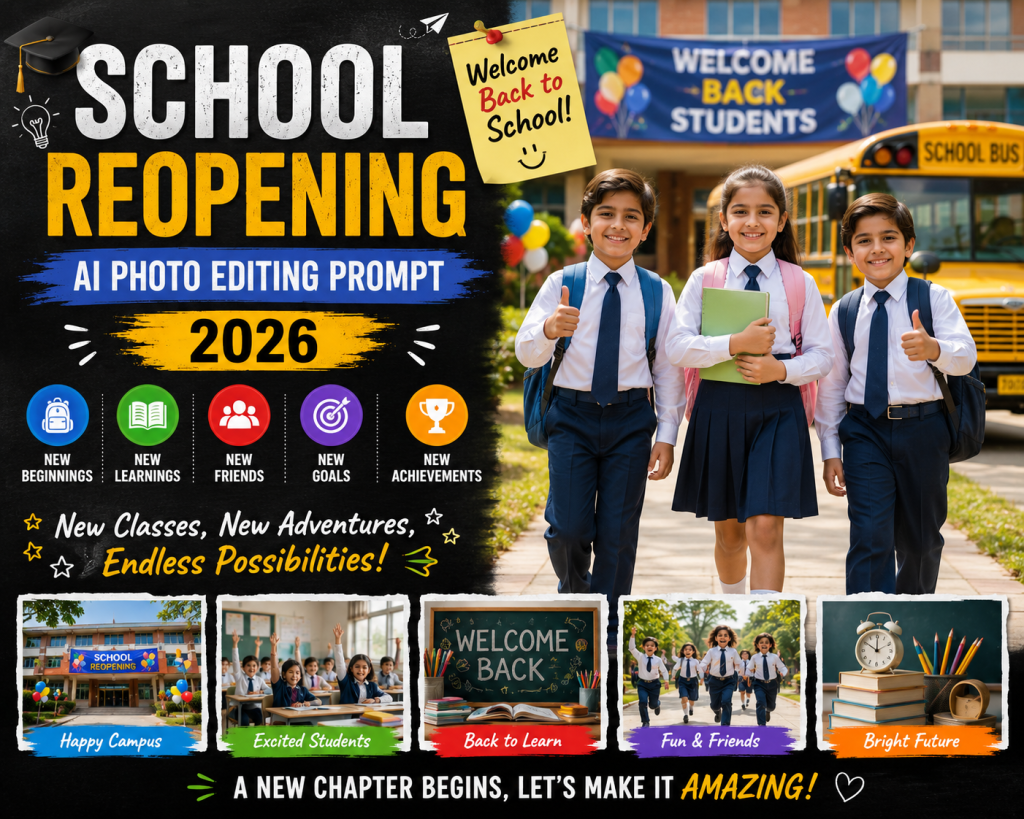
The new session is here, and a fresh first day photo deserves to look its best. These school reopening AI photo editing prompts for 2026 turn an ordinary uniform snap into a clean, bright, memorable portrait. Below you will find more than ten copy paste prompts, each in a one tap copy box, designed to add neat uniforms, cheerful school settings, and a happy first day mood while keeping the face natural. Bookmark this with the main AI photo editing prompts hub for more.
What Is a School Reopening Photo Edit?
A school reopening edit takes a back to school photo, a child in uniform, a first day pose, a classroom or school gate scene, and enhances the lighting, background, and mood so it looks bright and professional. The aim is a clean, cheerful keepsake that parents are proud to share, while keeping the student’s face and uniform completely natural.
1. Bright First Day Portrait Prompt
The classic first day look with a clean, cheerful glow.
Bright First Day Portrait Prompt
Edit this photo into a bright first day of school portrait. Keep the same face, uniform and pose exactly. Add clean even daylight, a tidy softly blurred school background, cheerful warm tones, a happy expression, and natural skin. Premium clean finish, ultra sharp 4K.
2. School Gate Welcome Prompt
A welcoming scene at the school entrance.
School Gate Welcome Prompt
Edit this photo into a school gate welcome portrait. Keep the same face and uniform. Add a friendly school entrance background softly blurred, warm morning light, a cheerful first day mood, natural skin, and tidy clean tones. High resolution, premium finish.
3. Classroom Background Prompt
A neat classroom setting behind the student.
Classroom Background Prompt
Edit this photo into a classroom portrait. Keep the same face, uniform and pose. Add a clean tidy classroom background softly blurred, bright even lighting, a focused happy mood, natural skin tones, and crisp detail. Premium school finish, high resolution.
4. Holding Books and Bag Prompt
A sweet first day pose with books or a school bag.
Holding Books and Bag Prompt
Edit this photo into a first day portrait with school items. Keep the same face and uniform. Add a neat school bag and books, a clean bright background, cheerful warm light, a proud happy mood, and natural skin. Sharp detail, premium finish.
5. Playground Fun Prompt
A lively playground scene for a joyful feel.
Playground Fun Prompt
Edit this photo into a cheerful playground school portrait. Keep the same face and uniform. Add a softly blurred bright playground background, warm sunlight, a joyful energetic mood, natural skin, and clean tones. High resolution, premium finish.
6. Group Friends Reopening Prompt
Friends together on the first day, with matched lighting.
Group Friends Reopening Prompt
Edit this group photo into a happy first day of school portrait. Keep all faces exactly the same and keep the lighting consistent across everyone. Add a clean school background, bright daylight, cheerful tones, and a joyful first day mood. Natural skin, high resolution.
7. Cinematic First Day Prompt
A premium film style first day portrait.
Cinematic First Day Prompt
Edit this photo into a cinematic first day school portrait. Keep the same face and uniform. Add soft warm lighting, a gently blurred school background, a subtle film grade, a proud cheerful mood, and realistic skin. Movie like premium finish, ultra sharp 4K.
8. Rainy Reopening Prompt
A cosy rainy first day mood with an umbrella.
Rainy Reopening Prompt
Edit this photo into a rainy first day school portrait. Keep the same face and uniform. Add gentle rain, a school umbrella, warm soft light, a tidy blurred school background, a cheerful cosy mood, and natural skin. High resolution, cinematic detail.
9. Toddler First Day Prompt
A soft, gentle look for the youngest students.
Toddler First Day Prompt
Edit this photo into a soft first day portrait for a young child. Keep the same face exactly and keep it natural. Add gentle soft lighting, a clean cheerful background, warm tender tones, a sweet happy mood, and very soft natural skin. Premium gentle finish, high resolution.
10. Achievement Badge Prompt
A proud portrait highlighting a badge or tie.
Achievement Badge Prompt
Edit this photo into a proud school portrait. Keep the same face and uniform. Add clean studio style lighting, a neat tidy background, crisp detail on the uniform and badge, a confident happy expression, and natural skin. Premium finish, ultra sharp 4K.
11. Aesthetic Back to School Prompt
A clean, modern aesthetic back to school feed look.
Aesthetic Back to School Prompt
Edit this photo into an aesthetic back to school portrait. Keep the same face and uniform. Add soft bright tones, a clean minimal background, gentle even light, a cheerful relaxed mood, and natural skin. Premium aesthetic finish, high resolution.
How to Use These Prompts Step by Step
- Open Google Gemini and start image editing mode.
- Upload a clear, well lit photo with a simple background.
- Tap Copy on the prompt box you want and paste it into the chat.
- Attach your photo in the same message and send.
- If the result is close but not perfect, add one short instruction such as keep the face exactly the same.
- Download the final image and use it for your post or reel.
Tips for the Best Results
Keep the uniform and face natural by including keep the same face and uniform, since first day photos should clearly look like your child. Use a clear, well lit source photo and ask for clean, bright tones rather than heavy filters. A cheerful expression carries the first day feeling. For a clean studio look, the studio background editing guide pairs well with these prompts.
Customising These Prompts
These prompts adapt to every age and setting. Change the background from classroom to gate to playground, brighten or soften the tones to taste, and for group photos ask the model to keep the lighting consistent across all faces. A short follow up such as make the background brighter refines the result. For festival and seasonal looks, see the festival AI prompts.
Making a Yearly First Day Series
Many parents photograph the first day every year, and these prompts make a consistent series easy. Use the same bright style and a similar background each year, changing only the class or age, so the set looks cohesive when viewed together. A unified yearly series becomes a treasured keepsake and a heartwarming reel that shows how much your child has grown. Keep the editing clean and natural so the focus stays on the milestone itself.
Sharing School Photos Thoughtfully
Children’s photos are personal, so share them with care. Many families post only within trusted circles or limit public sharing of school images. Whatever you choose, these clean edits make lovely private keepsakes and gifts for grandparents. Keep the images natural and wholesome, and treat them as the cherished memories of a new school year that they are.
Turn Your Edit Into a Reel
First day portraits make sweet reels and status updates. Sequence a few looks with a cheerful track using a slow motion CapCut template for a gentle reveal, then grade with a warm cinematic Lightroom preset. For more on trending video edits, see my trending AI video editing guide, and find more portrait styles in the AI photo editing prompts hub.
Common Mistakes to Avoid
Do not use heavy dramatic filters, since school photos should feel bright and cheerful. Do not clutter the background. Do not over smooth a child’s skin, as gentle natural texture looks best. And always keep the face and uniform locked so the keepsake clearly looks like your child.
Frequently Asked Questions (FAQ)
Are these school reopening prompts free?
Yes. Copy any prompt here for free and use it in Gemini or ChatGPT, which may limit daily free generations.
Will the edit keep the uniform accurate?
Yes, if you include keep the same face and uniform. The edits enhance the lighting and background without changing the uniform.
Can I make a group first day photo?
Yes. Use the group prompt and ask the model to keep the lighting consistent across all faces for a natural result.
Which prompt suits young children?
The toddler first day prompt is gentlest, with very soft lighting and tender tones suited to the youngest students.
Can I build a yearly series?
Yes. Use the same bright style and background each year, changing only the class, for a cohesive keepsake series.
Lighting and Timing Tips for First Day Photos
The best first day photos start with good light, so try to take the original photo in soft morning daylight near a window or just outside the front door, since soft, even light flatters young faces and gives the AI a clean base to enhance. Avoid harsh midday sun, which causes squinting and hard shadows, and avoid dark indoor bulbs that make skin look dull. Capture a few frames so you have a sharp one to choose from, and get down to the child’s eye level for a more engaging, natural angle. A genuine, excited expression carries the first day feeling far better than a forced pose, so make it fun rather than formal. Keep the uniform tidy and the background simple in the original, which makes the edit even cleaner. With a bright, well lit source photo, the prompts on this page produce a polished keepsake while keeping your child’s face and uniform completely natural. Save a high resolution copy each year so the photos sit nicely together as a growing collection, and consider a matching frame or a printed set as a gift for grandparents. For a clean studio style background on any first day shot, the studio background editing guide pairs perfectly with these prompts.
Final Thoughts
These school reopening AI photo editing prompts give you a bright, memorable first day portrait in one tap. Save this page, try all the prompts, and build a yearly series to treasure. For more styles, explore the wider AI photo editing prompts library at Editing By Vikas, updated every week.