Navratri AI Photo Editing Prompts 2026 (5+ Free Copy Paste)
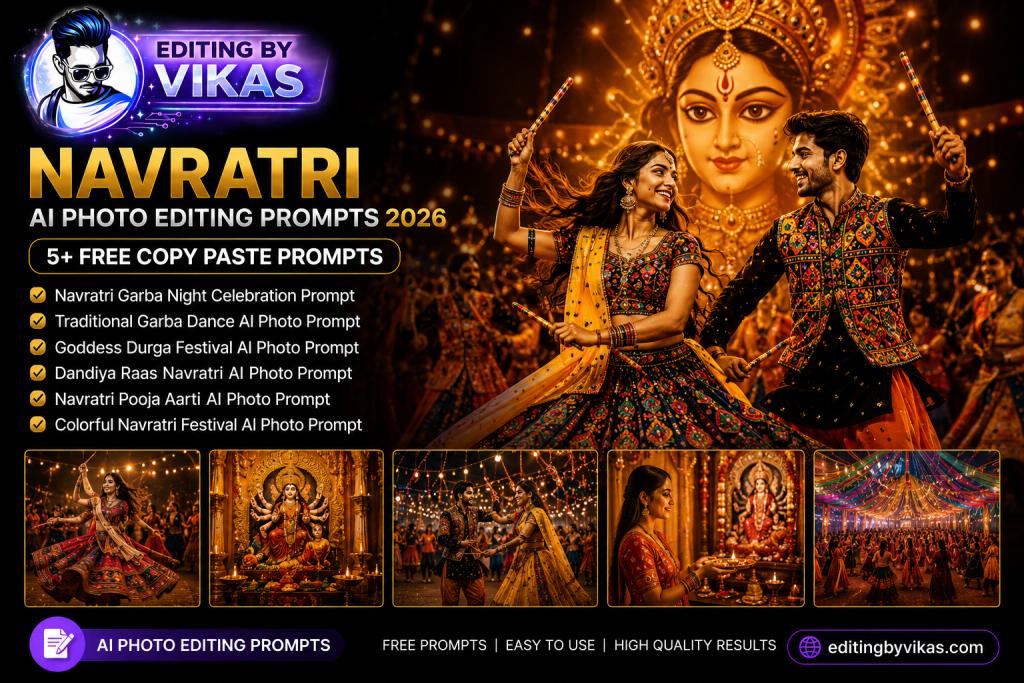
Navratri is a festival of colour, devotion, and celebration, and the right Navratri AI photo editing prompts let you create stunning festive portraits for all nine nights. This guide gives you five copy paste prompts, each in a one tap copy box, designed to add traditional outfits, vibrant garba energy, and warm festival lighting while keeping your face natural. Post a fresh look every night of the festival with these ready made prompts.
Why Navratri Edits Trend Every Year
Navratri is one of the most photographed festivals in India, with people sharing themed looks across all nine days. The festival is full of colour, dance, and devotion, which makes it perfect for vibrant AI portraits. Publishing your edits just before and during the festival lets them trend right when everyone is searching for festive looks. A bright, joyful Navratri portrait is one of the most shared image types of the season.
1. Traditional Chaniya Choli Prompt
This prompt dresses the subject in a colourful traditional Navratri outfit with rich detail, perfect for the festive feed.
Chaniya Choli Prompt
Edit this photo into a vibrant Navratri portrait. Keep the same face and pose. Dress the subject in a colourful traditional chaniya choli with rich embroidery and mirror work, add warm festive lighting, a softly decorated background, gentle glow, and natural skin. Ultra sharp 4K, premium finish.
2. Garba Night Prompt
For an energetic garba celebration feel with lights and movement, use this prompt. It captures the dance night mood.
Garba Night Prompt
Edit this photo into a joyful garba night portrait. Keep the same face and outfit. Add a festive garba background with warm string lights and soft bokeh, colourful traditional attire, golden lighting, a happy energetic mood, and realistic skin. High resolution, cinematic depth.
3. Devotional Maa Durga Theme Prompt
This prompt adds a devotional, respectful festive backdrop. Keep it tasteful and reverent for a spiritual feel.
Devotional Theme Prompt
Edit this photo into a devotional Navratri portrait. Keep the same face and pose. Add a warm temple style background with soft diya glow and marigold decorations, a graceful traditional outfit, gentle golden lighting, and a peaceful respectful mood. Natural skin, sharp detail.
4. Royal Festive Look Prompt
For a regal, premium festive portrait with jewellery and rich fabric, this prompt delivers an elegant result.
Royal Festive Prompt
Edit this photo into a royal Navratri portrait. Keep the same face and pose. Dress the subject in a rich designer festive outfit with gold detail and traditional jewellery, add a softly lit elegant background, warm cinematic lighting, and a premium mood. Realistic skin, high resolution.
5. Outdoor Festival Glow Prompt
This prompt creates a warm outdoor festival scene with fairy lights and a joyful celebration feel.
Festival Glow Prompt
Edit this photo into an outdoor Navratri festival portrait. Keep the same face and pose. Add warm fairy lights and soft bokeh in the background, a colourful traditional outfit, golden festival lighting, a joyful premium mood, and natural skin texture. Sharp 4K detail.
How to Use These Prompts Step by Step
- Open Google Gemini and start image editing mode.
- Upload a clear, well lit photo with a simple background.
- Tap Copy on the prompt box you want and paste it into the chat.
- Attach your photo in the same message and send.
- If the result is close but not perfect, add one small instruction such as keep the face exactly the same or make the background darker.
- Download the final image and use it for your post or reel.
Tips for Vibrant Navratri Edits
Colour is the soul of a Navratri edit, so embrace bright, festive tones rather than muting them. Choose outfit colours that match the traditional colour of each day for an authentic touch. Keep the background bokeh soft so the festive lights feel magical rather than cluttered. Always lock the face so your features stay natural under the warm glow. For a saree centred festive option, combine these with my saree AI photo editing prompt, and for Diwali looks see my Diwali AI photo editing prompt.
Customising for Each of the Nine Nights
Navratri rewards variety, and these prompts adapt easily. Change the outfit colour each night to match the festival theme by adding a short line such as make the outfit royal blue. Switch between the garba night, devotional, and royal looks to keep your feed fresh across all nine days. For group or family photos, ask the model to keep the lighting consistent across all faces so everyone looks naturally lit by the same warm glow.
Turn Your Navratri Edit Into a Reel
Festive portraits travel far as reels. Generate two or three looks, then sequence them with a trending garba or festive track using a template from my CapCut template links collection. Finish with a warm cinematic Lightroom preset for that golden festival glow, and follow my reel editing guide for smooth transitions and a clean export.
Mistakes to Avoid
Do not mute the colours, since Navratri is a celebration of vibrancy. Do not request a cluttered background that competes with your outfit. Do not use cold blue tones, because the festival mood is warm and golden. And always keep the face locked so the festive edit clearly looks like you.
The Nine Colours of Navratri and How to Use Them
Each of the nine nights of Navratri is traditionally linked to a specific colour, and using them makes your edits feel authentic and timely. While regional traditions vary, common associations include shades like orange, white, red, royal blue, yellow, green, grey, purple, and peacock green across the nine days. You can plan your content calendar around these colours, creating one portrait per night in the matching shade. To do this with the prompts on this page, simply add a short line such as make the chaniya choli royal blue to set the colour for that day. This approach keeps your feed fresh and coordinated through the whole festival, and it signals to your audience that you understand the tradition, which builds trust and engagement. Save a note of the colour order before the festival begins so you are never scrambling on the day.
Capturing Garba Energy in a Still Photo
Garba and dandiya are about movement, joy, and community, and a still portrait can capture that energy with the right details. Ask the AI for warm string lights, a sense of motion in the background, and a joyful expression to suggest the dance floor atmosphere. A twirling pose or a mid step stance in your source photo adds dynamism that the edit can enhance. Soft bokeh from festive lights creates depth and a celebratory mood without cluttering the frame. For group garba photos, ask the model to keep the lighting consistent across all faces so the whole group looks naturally lit. Once you have a set of energetic portraits, turn them into a reel with a trending garba track using a template from my CapCut template links collection, and finish with a warm grade for that golden festival glow.
Frequently Asked Questions (FAQ)
What are Navratri AI photo editing prompts?
They are instructions that turn your photo into a festive Navratri portrait with traditional outfits, garba energy and warm lighting while keeping your face natural.
Are these prompts free?
Yes. Copy any prompt here for free and use it in Gemini or ChatGPT, which may limit daily free generations.
When should I post Navratri edits?
Start posting just before the festival and share a fresh look across the nine nights so your content trends during peak search interest.
Can I match outfit colours to each day?
Yes. After the first result, add a short line such as make the outfit yellow to match the colour of that day of Navratri.
Can I make a group Navratri edit?
Yes. Upload a group photo and ask the model to keep the lighting consistent across all faces for a naturally lit festive group portrait.
Building a Nine Night Content Plan
The creators who win Navratri are the ones who plan ahead. A week before the festival, prepare your nine looks by matching each prompt to the colour of its day, and generate a backup image or two in case a trend appears mid festival. Schedule your posts so one goes live each night at the time your audience is most active, usually evening when the celebrations begin. Keep a consistent style across all nine so your feed reads as one cohesive festive series rather than nine random posts. Write short, warm captions with a festive greeting, since these encourage shares and forwards within families. Pair each portrait with a trending garba track and a slow motion CapCut template or upbeat edit, and finish with a warm cinematic Lightroom preset. This calm, prepared approach lets you enjoy the festival while your content performs, and the same plan works for every festival season after.
Final Thoughts
These Navratri AI photo editing prompts give you nine nights of glowing festive portraits without a studio shoot. Save this page, try all five, and pair them with a festive reel and a warm grade from across Editing By Vikas. Fresh festival prompts are added every week in the AI photo editing prompts hub.